The close is late again, and the board pack is still a stack of files. If you run finance at a mid-sized company leaving desktop or on-premise accounting, the subscription is rarely what makes the move expensive. Data cleanup, a redesigned chart of accounts, rebuilt reports, and the controls you still own after go-live represent the main cost of cloud-based ERP software.
A licence will not retire those spreadsheets. The useful question is which system, and which implementation scope, can take another entity without adding another workbook.
Table of Contents
- Why Desktop Accounting Stalls Growing Finance Teams
- How Cloud-Based ERP Software Works Behind the Scenes
- Core Financial and Operational Modules Mapped to Your Spreadsheets
- Multi-Entity Consolidation and Reporting Control
- Cost, Implementation Effort and Hidden Migration Work
- Choose a Cloud ERP Partner Before Buying the Software
- Summary
- Frequently Asked Questions
Why Desktop Accounting Stalls Growing Finance Teams
Say you're the controller after the company added three entities in two years. The close has already used twelve business days. Intercompany balances sit in a shared workbook, and the board wants location margins nobody can produce before the meeting.
Check this month against five signals:
- Close past six days: Managers are deciding while the books are still open.
- One person's file: Reconciliations depend on a workbook only one accountant can explain.
- No entity view mid-month: Location results show up only in the finished pack.
- Audit prep from exports: Adjustments are rebuilt from manual downloads.
- A new file per location: Each site adds another company file and another mapping job.
Slower decisions, audit exposure from manual adjustments, and growth that stalls because the books can't take another location are the stakes for a CEO or CFO.
Aim for a faster close, real-time entity dashboards, and a clean audit trail. Those come from a partner-led implementation, not a licence on its own. Lucentive is a Sage Intacct National Premier Partner with mid-market, healthcare, and nonprofit experience. We handle QuickBooks to cloud ERP, Dynamics GP replacement, Xero to ERP, and ERP replacement. Mordor Intelligence estimated the global cloud ERP market at $47.25 billion in 2025 and projected it to reach $56.53 billion in 2026. Where the spreadsheet is still the system of record, Spreadsheet Upgrade's ERP comparison guide is a useful read on when an operational workflow should leave the grid. Walk our ERP readiness assessment checklist before you shortlist products. A look at whether the books are ready is the point of cloud ERP implementation.
How Cloud-Based ERP Software Works Behind the Scenes
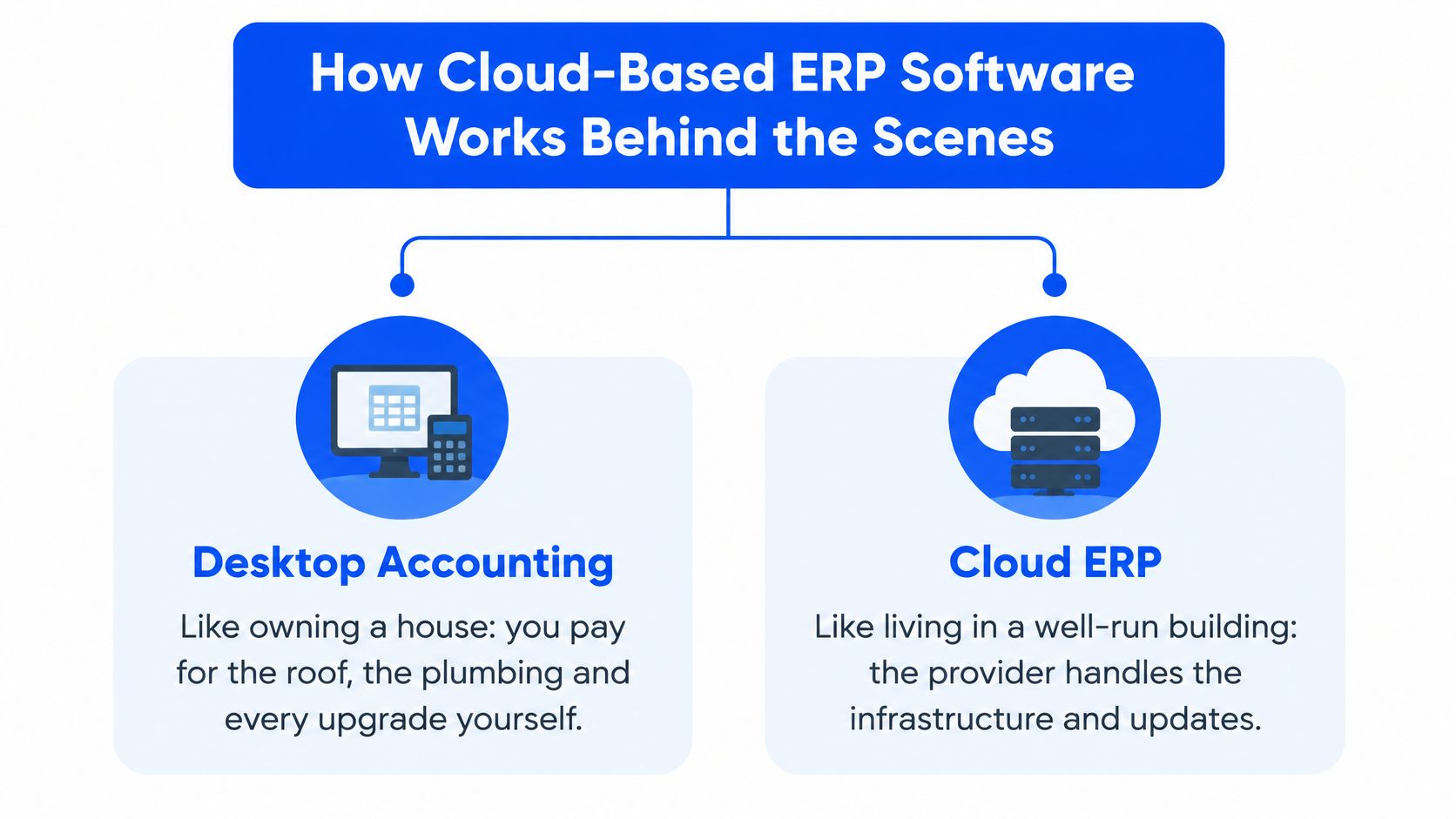
Desktop accounting is like owning a house. You pay for the roof, the plumbing, and every upgrade. Cloud-based ERP software is closer to a well-run apartment building. The provider maintains the shared structure, and you run your own unit.
Treat a product as true software-as-a-service only when it shows the five characteristics in the NIST definition of cloud computing: on-demand self-service, broad network access, resource pooling, rapid elasticity, and measured service. Hosting in a data center is not the same test.
What each characteristic changes in the close
- On-demand self-service: Finance can provision a user or a sandbox without a hardware ticket.
- Broad network access: Controllers, auditors, and site managers reach the same ledger from a browser.
- Resource pooling: The provider assigns shared compute, storage, memory, and network capacity across tenants, so you don't buy servers for a peak you have three times a year.
- Rapid elasticity: Capacity can expand for a payroll run or quarter-end, then contract, without a capital purchase.
- Measured service: Storage, processing, bandwidth, or active accounts are metered, which supports cost attribution and usage governance.
Elasticity doesn't remove application constraints. Database transaction limits, API quotas, integration throughput, reporting workloads, and vendor-defined user or module limits still apply. If you sell online, connecting ERP systems to ecommerce only works when those quotas can carry order volume, not just the month-end journal.
Four requests before you sign
Ask any vendor for documented service limits, the performance-monitoring method, tenant-isolation controls, and the procedure for scaling during month-end close, grant reporting, or clinical revenue-cycle peaks. Ask about data-residency options in the same conversation if you are a healthcare or nonprofit team. Map how those limits hit your record-to-report process flow before you treat uptime as the whole story.
Core Financial and Operational Modules Mapped to Your Spreadsheets
Judge each module by the spreadsheet or manual step it retires, not by the feature list. Day-one modules are the ones whose files are breaking the close. Everything else can phase in once that core runs. Fixed assets, in particular, can wait for phase two if the depreciation workbook isn't holding up the close.
We offer ERP selection, cloud ERP implementation, ERP advisory, ERP program management, and ERP business transformation, and the selection work starts from that retirement test. Canadian groups comparing a familiar Microsoft footprint can also use ERP guidance for Canadian business leaders as background on what a mature on-premise suite expects from process design, then apply the same test to a cloud shortlist.
| Module | What It Covers | What It Replaces | When It Matters |
|---|---|---|---|
| General ledger and period close | Chart of accounts, journal entries, close checklists | Desktop ledger and close workbook | Day one |
| Accounts payable | Bill capture, approval routing, vendor payments, 1099 tracking | Email approvals and AP trackers | Day one |
| Accounts receivable | Invoicing, collections, cash application, customer statements | Aging spreadsheets and manual invoices | Day one |
| Cash management and bank reconciliation | Bank feeds, cash position, multi-account reconciliation | Manual bank reconciliation | Day one for multi-account companies |
| Inventory and order management | Item costing, warehouses, lot tracking, sales orders | Count sheets and standalone inventory files | Required for product companies |
| Fixed assets | Depreciation schedules and disposals | Depreciation workbook | Phase two |
| Project and grant accounting | Job cost, work in progress, fund and grant budgets | Separate job-cost sheets | Required for service firms, nonprofits and healthcare grant work |
| Financial reporting and dashboards | Statements, KPIs and drill-down from the same ledger | Monthly Excel packs | Day one with the ledger |
If the aging file, the AP tracker, and the close workbook are the three files everyone fears, those rows are the scope. Inventory, projects, and grants join the first phase only when product, job, or funder reporting is already part of the close.
Multi-Entity Consolidation and Reporting Control
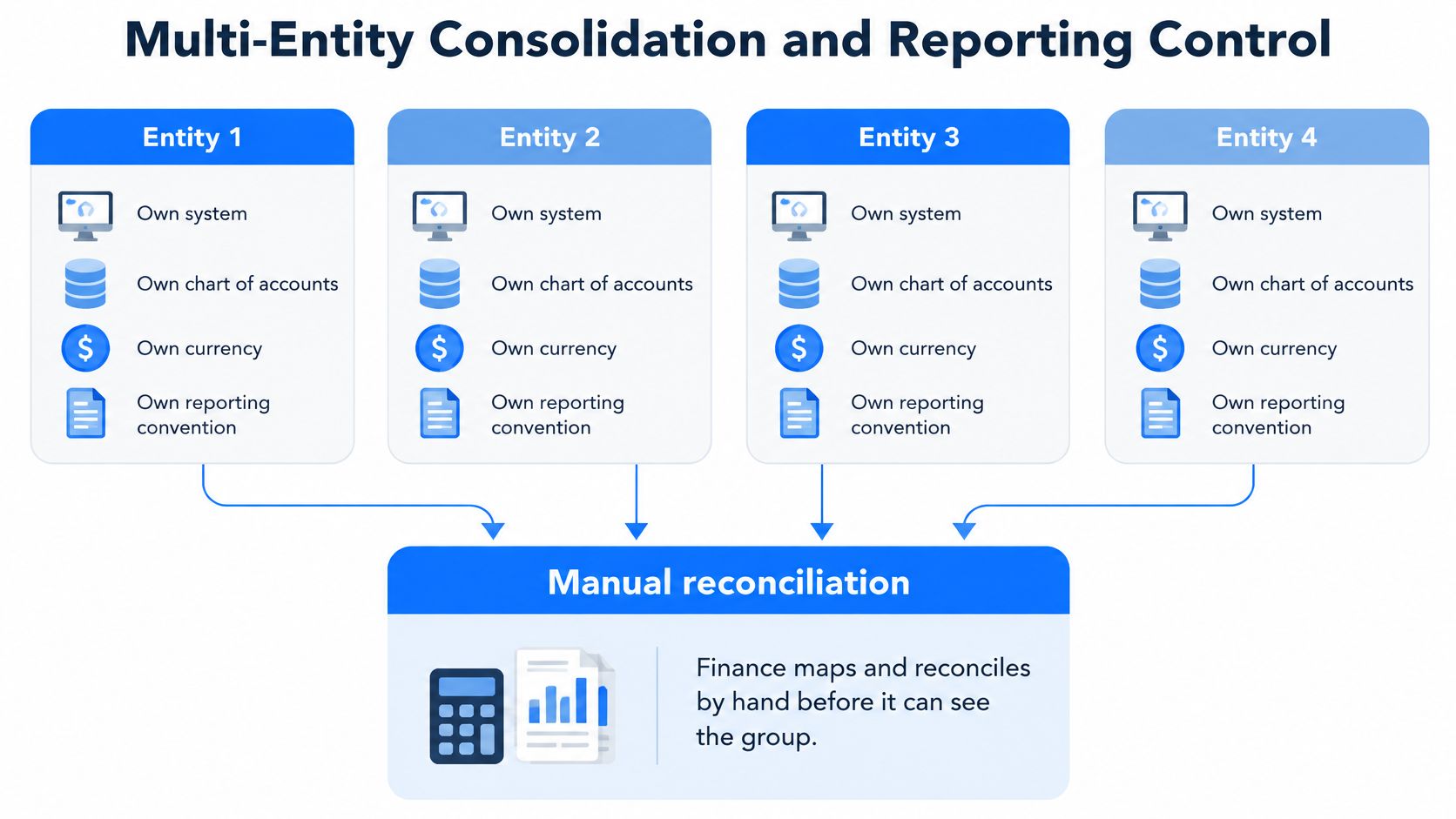
Groups struggle because each entity can run its own system, chart of accounts, currency, and reporting convention. Finance then maps and reconciles by hand before anyone can see the group. Adjustments that live only in a consolidation spreadsheet have no durable source-level audit trail, and they disappear on the next refresh.
Two benchmarks worth using
APQC benchmarking cited by Intuit places the median cycle time for consolidated financial statements at six days. The same results report that more than 60% of finance functions remain constrained by manual processing and inconsistent data, and that 54% of management-reporting time goes to activities that could be automated, including intercompany reconciliation. A Deloitte poll of more than 3,800 accounting and finance professionals named disparate software across legal entities as the most commonly cited intercompany-accounting challenge, selected by 21.4% of respondents.
If consolidated reporting routinely takes longer than a week, check process and system design before you add headcount.
A structure that survives the next entity
A controlled setup uses one chart of accounts across entities, posts intercompany transactions inside the system so they eliminate, and lets each subsidiary keep its own currency while statements translate into the reporting currency. New entities follow that same structure instead of a fresh file. On the builds we run for SaaS companies, later subsidiaries use that shared chart, and intercompany charges stay in the system rather than in a side workbook. If you are comparing tools for that job, start with our notes on financial consolidation software and test them against your actual entities, not a demo company.
Cost, Implementation Effort and Hidden Migration Work
The subscription is often the smallest line in a migration. Implementation expenses, customization, and migration challenges continue to delay SMB adoption, and a 2025 advisory survey cited by Epicor's IDC cloud ERP report found that more than 50% of ERP implementations exceeded their original budgets and more than 60% missed planned go-live dates. Treat budget and go-live dates as risks you scope, not promises a demo can make.
Six drivers to price before you sign
| Cost Driver | When It Gets Expensive | What to Scope Before Signing |
|---|---|---|
| Data cleanup | Duplicate vendors, customers and years of inconsistent coding | Which history converts and which is archived |
| Chart-of-accounts redesign | Several entities, departments, locations, grants or programs | Dimensions and reporting structure agreed up front |
| Integrations | EMRs, practice-management systems, payroll, CRM, bank feeds | Full list of systems and who owns each connection |
| Reporting reconstruction | Board packs, lender covenants, grant and funder reports | Which reports must exist on go-live day |
| Training and change management | Large user counts or role-specific workflows | Role-based training plan and parallel running period |
| Post-go-live support | New entities, modules, release upgrades and reporting changes | Named support ownership and budget after go-live |
A licence delivers the system. An implementation partner delivers the chart of accounts and dimensions, custom work where no standard configuration fits, integrations to systems you already run, and a parallel close before go-live, with fixed scope agreed up front. KPMG's cloud migration guidance is a useful reference for planning data mapping, validation, testing, and cutover alongside the build. Microsoft's cloud ERP migration guidance also covers documenting integrations, cleaning and validating data, and testing workflows before rollout. For a closer look at the testing work, Microsoft's data migration guidance recommends verifying each migration in both system integration testing and user acceptance testing. I would ask any partner to show these six drivers separately, then compare the subscription with the full cost. Our total cost of ownership view for ERP is built for that comparison. If you proceed with us after advisory, the advisory fee is credited against implementation.
Choose a Cloud ERP Partner Before Buying the Software
Compare desktop accounting, on-premise ERP, and cloud-based ERP on six criteria. These are qualitative judgments, not scores, and they will shift with your entities, inventory, and reporting load.
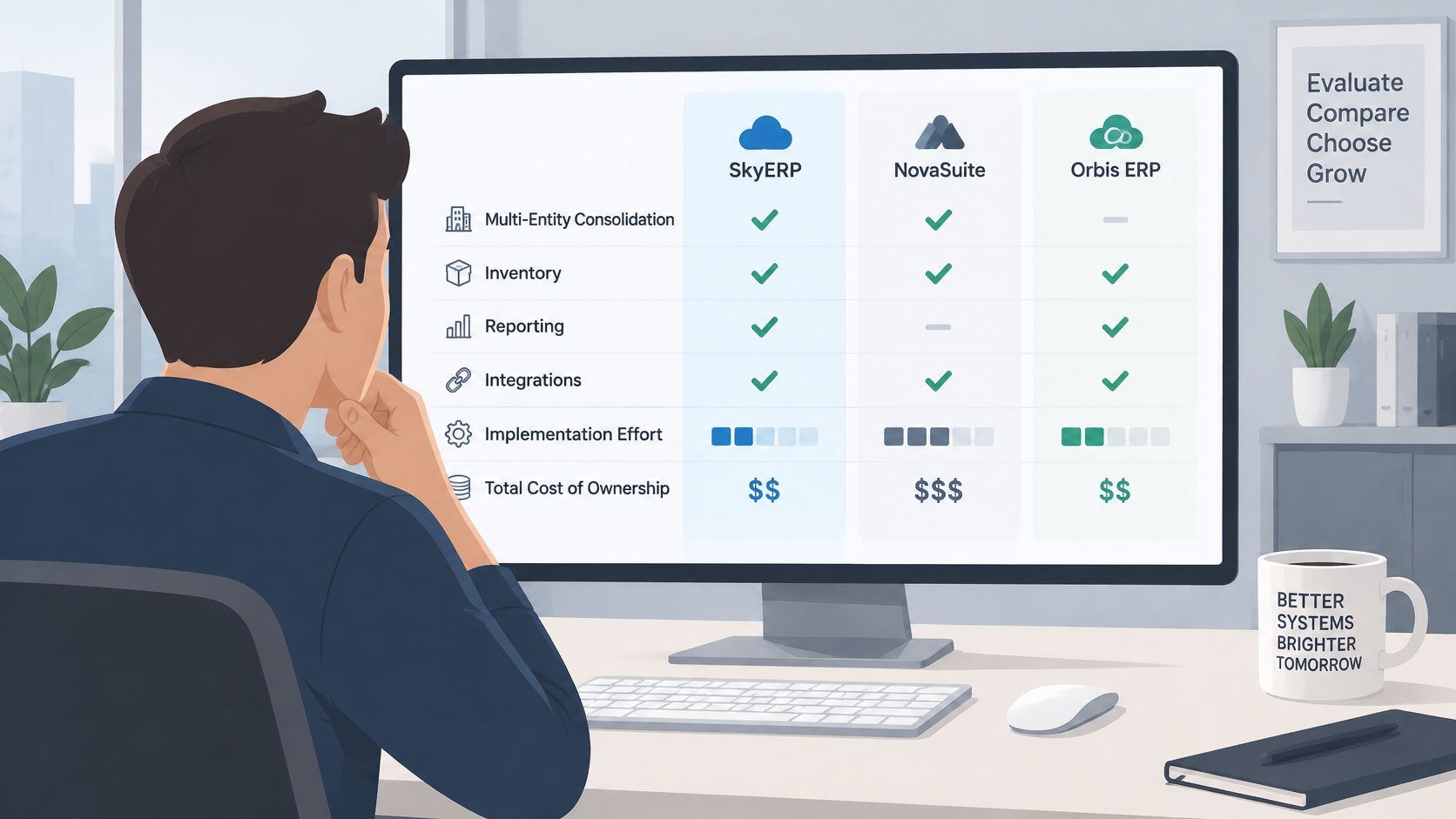
| Criterion | Desktop Accounting | On-Premise ERP | Cloud-Based ERP |
|---|---|---|---|
| Multi-entity consolidation | Manual workarounds and consolidation spreadsheets | Possible, but usually needs custom work | Native shared chart, intercompany handling and currency translation |
| Inventory | Basic or add-on tools | Strong, with heavier setup | Strong module-based inventory and order management |
| Reporting | Exports into spreadsheets | Depends on separate BI add-ons | Dashboards and statements drawn from the same ledger |
| Integrations | Marketplace add-ons that can be fragile | Custom connectors maintained in-house | Standard APIs and vendor-supported connectors |
| Implementation effort | Low setup, but migration pain at each step of growth | High, with dedicated IT and longer timelines | Moderate and scoped, with parallel close before go-live |
| Total cost of ownership | Low licence cost, high hidden labor | High upfront and ongoing infrastructure cost | Subscription plus implementation and ongoing support |
Who should move, and who can wait
A single entity with simple inventory can stay on a well-run desktop system for a while. Multi-entity groups, inventory-heavy companies, and organizations with grant or funder reporting usually outgrow desktop tools. On-premise ERP still suits organizations with dedicated IT staff and specific infrastructure requirements.
Cloud cuts infrastructure work. It doesn't cut governance work. NIST's cloud access-control guidance explains why access responsibilities are shared between the provider and customer. Name who owns access reviews, integration approvals, backup recovery tests, and incident escalation after go-live. NIST's guidance on cloud user account provisioning offers a useful reference for keeping cloud accounts aligned with your organization's access policies. NIST's cloud computing standards roadmap also provides a reference for discussing interoperability and data portability with vendors. Put those owners on a 30-, 60-, and 90-day control calendar, and keep the evidence with the CFO, not only with the vendor.
Fit before a purchase order
Our ERP consulting covers the whole path: deciding whether you need a new system, choosing one, implementing it, and supporting it after go-live. Selection help matters most when demos all look good and nobody on your team can say which one fits the close. We work with several vendor partners, so the first conversation is about fit, and an honest assessment can recommend staying where you are. An ERP software selection consultant should test your close, your entities, and your reports before you buy. Schedule a 30-minute working session with the Lucentive team to do that test against your options.
Summary
Cloud ERP is provider-run infrastructure you reach over the network, and it is distinct from merely hosted software when it shows on-demand self-service, broad network access, resource pooling, rapid elasticity, and measured service. Day-one scope replaces the general ledger and close workbook, accounts payable trackers, accounts receivable aging files, manual bank reconciliation, and monthly Excel packs.
Multi-entity groups lose time when each company keeps its own system, chart, currency, and report format. The median cycle for consolidated statements is six days, more than 60% of finance functions stay constrained by manual processing and inconsistent data, and 21.4% of professionals named disparate software as their top intercompany challenge. The expensive work is data cleanup, chart redesign, integrations, report rebuilds, training, and post-go-live support, plus governance that stays with the business. Desktop, on-premise, and cloud differ on consolidation, inventory, reporting, integrations, effort, and total cost. A CFO should expect a faster close, real-time entity dashboards, and a clean audit trail. Schedule a 30-minute working session with the Lucentive team to test fit before you buy software.
Frequently Asked Questions
Is cloud-based ERP software the same as cloud accounting?
No. Cloud accounting usually covers one function, such as the ledger or invoicing. Cloud-based ERP software is a multi-function system, and you should test it for on-demand self-service, broad network access, resource pooling, rapid elasticity, and measured service. Use the module map the same way: general ledger, payables, receivables, cash, and reporting have to retire specific files, not just move them online.
Do we need multi-entity consolidation if we only have two companies?
Yes, if those two companies already reconcile to each other by hand. A shared chart and in-system intercompany entries keep eliminations and the audit trail intact as you add sites. The median cycle for consolidated financial statements is six days. If your group pack takes longer than a week, fix the process and the system before you hire.
How long does a move from QuickBooks take?
There isn't one timeline, because scope sets the calendar. Data cleanup, chart design, integrations, report rebuilds, training, and post-go-live support are what stretch a date, not the subscription. Scope those six drivers against your current close, and decide what history converts, before anyone starts a build.
Should we buy the software before choosing a partner?
No. Software alone gives you the system. A partner-led implementation gives you the chart, the migrated data, the integrations, a parallel close, and a fixed scope. Governance of access, integrations, backups, and incidents still sits with your team after go-live. A 30-minute working session is the right place to test that split before you purchase.
Lucentive helps CEOs and CFOs compare cloud ERP options against the close, the entities, and the reports they already run, then implement with a defined scope rather than a licence on its own. If hidden migration work is what concerns you, that is the conversation worth having before you buy. Visit Lucentive to schedule a 30-minute working session and see whether a move fits your company.