The finance team is working late again. The close is slow, the controller is reconciling separate entities in spreadsheets, and the CEO still can't get a consistent answer on revenue, margins, or cash. QuickBooks may have handled the early years well, but it wasn't designed to carry a growing organization's entire operating model.
That's the core decision behind cloud ERP for small business. You aren't just buying accounting software. You're deciding whether finance will continue to depend on manual work and institutional memory, or operate from controlled data, repeatable processes, and reporting that leaders can trust. Sage Intacct can provide that foundation, but software alone won't fix an unprepared organization. Implementation discipline, migration planning, and user adoption determine whether the investment produces value.
Table of Contents
- The Moment a Growing Business Outgrows QuickBooks
- What Cloud ERP Actually Means for a Small Business
- Benefits That Show Up on the CFO's Dashboard
- Deployment and Security Decisions Buyers Get Wrong
- Pricing Models and Total Cost of Ownership
- When Cloud ERP Is the Wrong Next Step
- Choosing the Right Implementation Partner
- Summary
- FAQ
The Moment a Growing Business Outgrows QuickBooks
A 40-person services firm closes its books in 18 days. The accounting manager consolidates three entities in Excel, eliminates intercompany balances manually, and sends department leaders reports assembled from different files. When the CEO asks for current revenue, one person answers from the general ledger, another uses a project spreadsheet, and a third relies on an operational report. All three answers sound plausible.
That situation rarely begins with one dramatic failure. It develops through workarounds. A new entity gets its own file. A department creates a spreadsheet to explain margins. The controller adds formulas to compensate for missing dimensions. By the time the audit committee asks for departmental profitability, finance is no longer closing the books. It's reconstructing the business after the month has ended.
The trigger might be the first multi-entity month, a new lender request, a customer asking for self-service invoicing, or a leadership team that needs project profitability before approving new work. Each event exposes the same underlying issue: the finance operating model hasn't kept pace with the business.
The wall is operational, not cosmetic
QuickBooks can record transactions. The harder question is whether your team can control who enters them, connect them to the right entity and department, preserve useful history, and produce consistent reports without spreadsheet intervention.
Practical rule: If the controller is the only person who knows how the numbers come together, the company has a process risk, not merely a reporting inconvenience.
A migration should therefore begin with the close calendar, approval paths, entity structure, reporting requirements, and historical data policy. Teams moving from QuickBooks can review QuickBooks data migration services as part of that readiness work, but the objective isn't to move every old habit into a new platform.
A real cloud ERP changes the operating rhythm. Finance defines the data once, assigns responsibility before the close, and gives executives access to the same controlled view. The gain isn't a prettier dashboard. It's fewer reconciliations, fewer explanations, and less dependence on spreadsheet heroics.
What Cloud ERP Actually Means for a Small Business
In plain finance language, cloud ERP is a shared system of record for the business. Instead of maintaining separate desktop files, add-ons, and department spreadsheets, the general ledger, payables, receivables, cash management, reporting, and relevant operational data connect through a SaaS platform.
That architecture matters because the finance team works from one governed database. Users access the system through the internet, while the provider manages the underlying application environment and updates. The company still owns its accounting policies, approval rules, data quality, and user responsibilities.
Start with the operating model
A credible shortlist for a growing organization should cover the work finance leaders manage.
- Core financials: General ledger, recurring entries, allocations, budgeting, and financial statements.
- Accounts payable and receivable: Invoice capture, approvals, billing, collections, customer balances, and payment workflows.
- Cash management: Bank connectivity, reconciliations, cash position, and forecasting inputs.
- Project or job costing: Time, expenses, revenue, and margin by project, contract, or service line.
- Expense management: Employee submissions, policy review, approvals, and accounting.
- Inventory or revenue recognition: Include these only when the business model requires them. Don't pay for complexity that doesn't support your operating plan.
The important distinction is between module availability and usable control. A vendor can show a screen for every function and still leave your team dependent on exports, manual uploads, or outside spreadsheets.
Read the reporting model before the demo
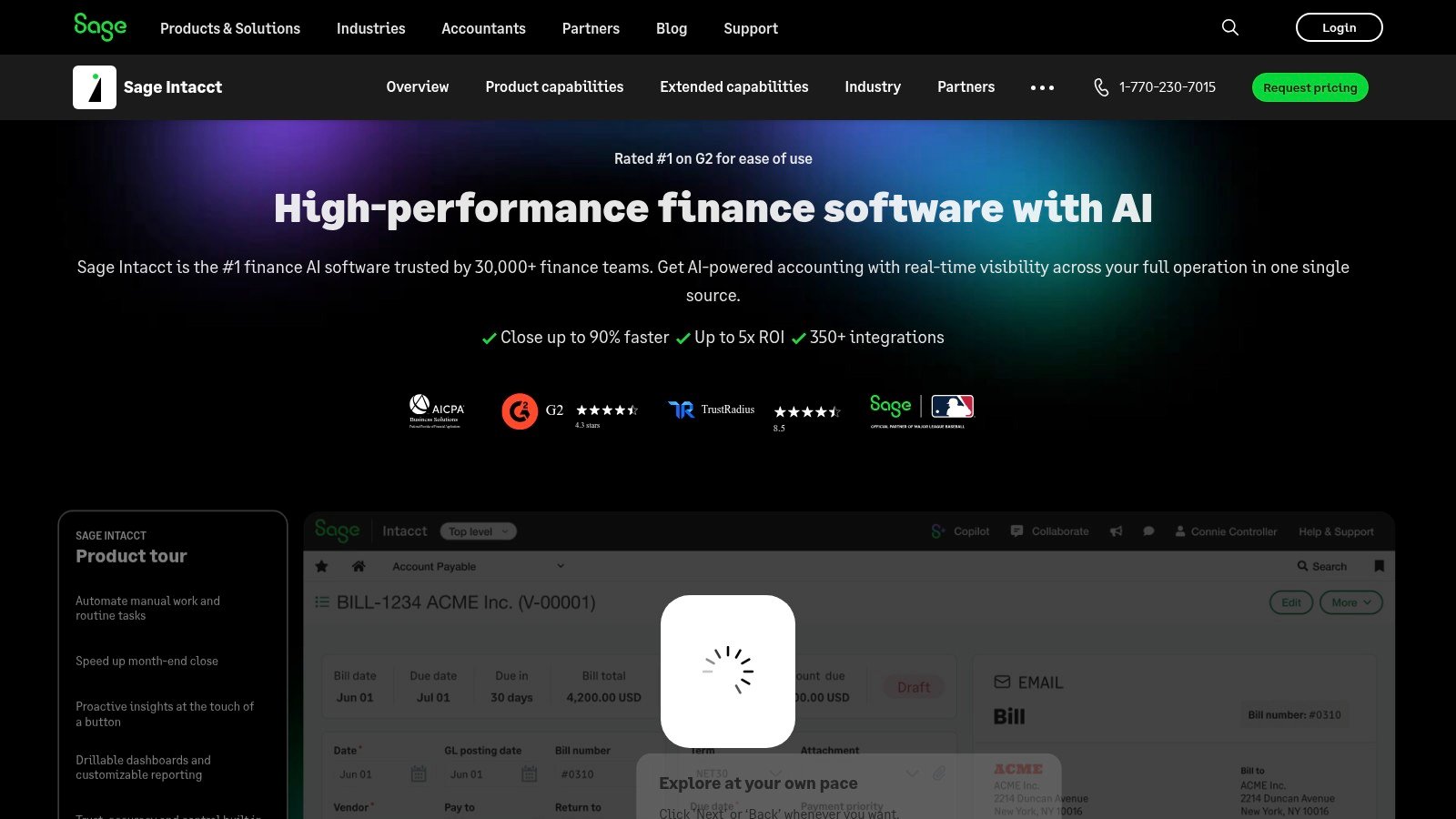
QuickBooks classes can help categorize transactions, but multi-entity and dimensional reporting require a more deliberate structure. Sage Intacct, for example, uses dimensions such as entity, location, department, project, customer, item, employee, vendor, and class to support reporting from one dataset, as described in Sage Intacct dimensional accounting.
Ask vendors to demonstrate your reporting logic, not their menu. Give them a sample income statement, an entity consolidation, a project margin report, and an approval scenario. Then ask which data is native, which requires configuration, and which still depends on an outside tool. A useful cloud-based business management solution should reduce the number of places where finance has to reconstruct the truth.
| Finance Task | QuickBooks Approach | Cloud ERP Approach |
|---|---|---|
| Entity reporting | Separate files or spreadsheet consolidation | Shared structure with entity-level reporting |
| Department margins | Classes and manual report preparation | Dimensions captured at transaction entry |
| Approvals | Email, paper, or informal review | Role-based workflows and documented ownership |
| Close support | Reconciliations spread across files | Centralized tasks, data, and reporting |
| Audit evidence | Exports and manual documentation | System activity, permissions, and traceable changes |
Benefits That Show Up on the CFO's Dashboard
A CFO can't defend an ERP purchase with a list of screens. The business case needs to connect finance improvements to decisions, risk, and management time.
The first measurable outcome is usually the close. The planning benchmark often discussed in ERP evaluations is a reduction from 15+ days to 5 to 7 days, as represented in the required financial close benefits infographic. That result doesn't come from cloud hosting by itself. It comes from standardizing account structures, automating recurring work, assigning approvals, and eliminating late spreadsheet consolidation.
A shorter close gives the executive team more than earlier financial statements. It creates time to investigate margin movement, adjust pricing, challenge spending, and speak with lenders before a cash constraint becomes urgent.
The dashboard should answer management questions
A finance-grade platform should help leaders act on questions such as:
- Which entity is producing cash? Live entity reporting reduces the need to wait for a manual consolidation package.
- Which projects or service lines are profitable? Dimensions connect revenue and cost to the operating unit responsible for the result.
- Which receivables threaten the forecast? Current aging data gives the treasury discussion a stronger operational basis.
- Which transactions require review? Role-based controls and approval history support accountability that Excel can't enforce.
These controls also improve the audit conversation. A governed system can document permissions, approvals, and changes more consistently than a collection of files passed between employees. That lowers exposure created by unclear access and weak evidence, although it doesn't eliminate the need for policies, review, and professional judgment.
Sage Intacct's dashboards and reporting capabilities matter when they're tied to defined management questions. A dashboard that merely displays more information won't improve decisions. A dashboard that shows entity performance, project margin, receivables risk, and cash drivers in the same operating rhythm can change the weekly finance meeting.
The CFO test: Tie every requested capability to a decision, a control, or a recurring hour of finance labor. If the team can't explain the connection, it probably isn't part of the first phase.
The caveat is important. These outcomes require process redesign. A cloud login won't repair an inconsistent chart of accounts, unclear ownership, or late approvals. The implementation must define how work gets done, then configure the platform to reinforce that model.
Deployment and Security Decisions Buyers Get Wrong
Cloud deployment removes infrastructure from the finance team's daily workload, but it doesn't remove implementation responsibility. Buyers leaving QuickBooks often focus on the go-live date and the vendor's security materials. Both matter, but neither answers whether the organization is ready to operate correctly on day one.
Use four decision tests.
Treat go-live as a readiness gate
A date on a project plan isn't evidence of readiness. Good deployment planning includes a phased cutover, tested workflows, reconciled opening balances, and a parallel close where the risk justifies it. The implementation team should define what must be complete before finance stops relying on the old process.
Migrate history deliberately
Master records are only part of the job. Historical general ledger detail, open receivables, open payables, fixed assets, project information, and audit evidence may each require a different treatment. Independent migration guidance emphasizes dependency mapping, API catalogs, sandbox testing, payload validation, replay procedures, and synthetic transaction loads because integration defects can disrupt go-live, particularly in seasonal or multi-entity environments, as outlined in the cloud ERP migration playbook.
Write the historical-data policy before signing. Decide what stays searchable in the new system, what remains in an archive, and how auditors will obtain supporting evidence.
Access control needs a policy
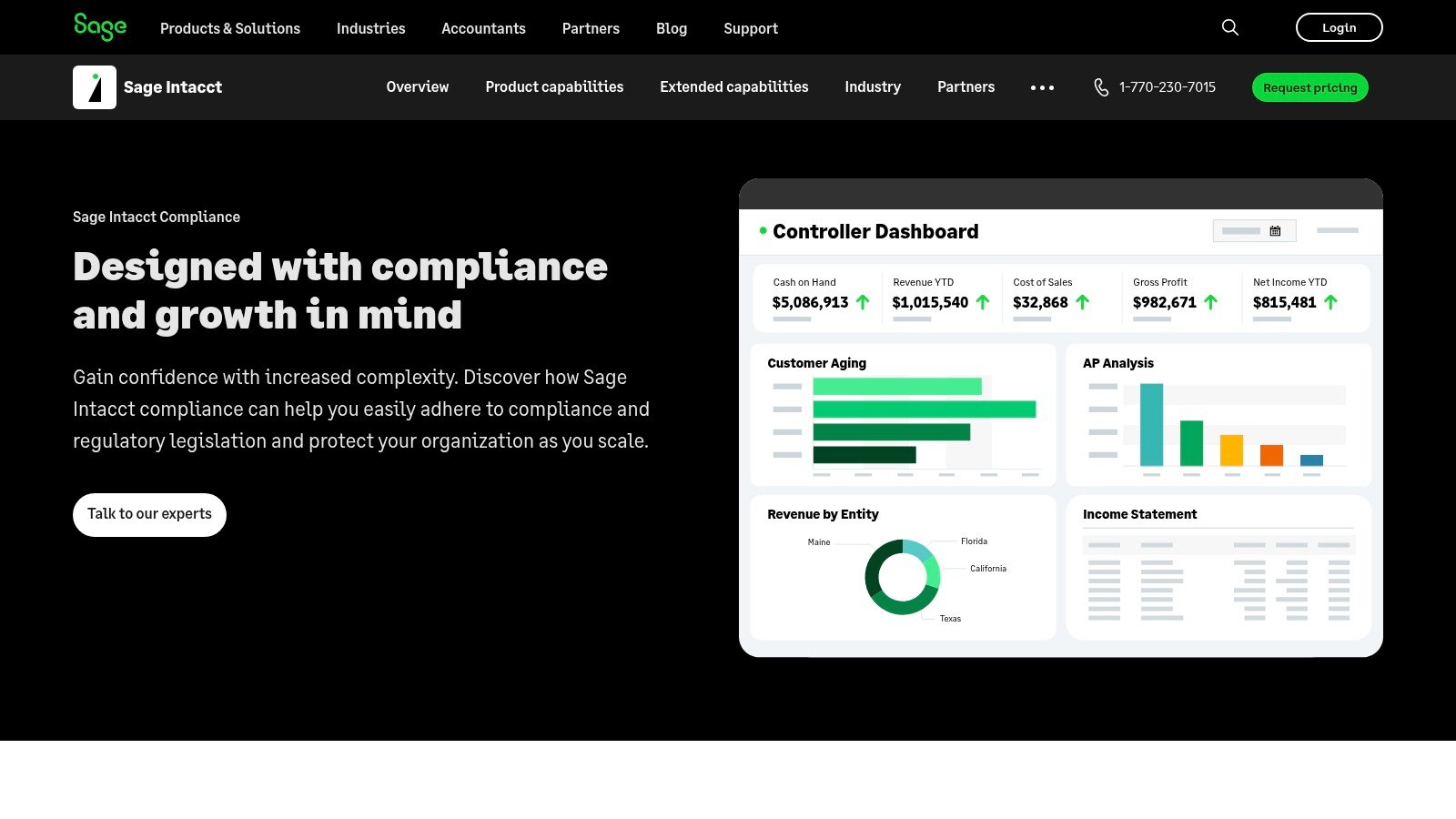
SSO and role-based access are useful controls, but they don't replace a written access matrix. Finance and IT should document who can create vendors, approve invoices, post journals, change bank details, and administer users. Review that matrix regularly, especially after turnover or reorganizations.
Integrations belong in the contract
Map upstream and downstream systems before the MSA is signed. Include EMR, payroll, CRM, billing, banking, expense, and reporting dependencies where relevant. Define ownership, error handling, testing responsibilities, and support boundaries.
A vendor SOC 2 Type II report answers only part of the security question. Your organization still needs decisions about encryption in transit, endpoint controls for remote AP staff, data residency, disaster recovery, and breach notification terms. Sage Intacct security information can inform the review, but the buyer remains accountable for its own policies and risk acceptance.
Pricing Models and Total Cost of Ownership
Subscription price is the easiest ERP number to compare and the least reliable indicator of the investment. A finance leader should model the complete cost of changing the operating system of the business.
The first structure is per-user subscription pricing. It's easy to forecast, but costs rise as more employees need access. The second is tiered subscription pricing, which may lower the apparent seat cost while bundling modules the organization won't use. The third is consumption or transaction pricing, which appears frequently in AP automation and analytics add-ons. It can fit variable usage, but the invoice may become harder to forecast.
| Pricing Model | Predictability | Hidden Cost Risk | Best Fit |
|---|---|---|---|
| Per-user subscription | High for a stable user base | Additional users and permissions | Small teams with defined access |
| Tiered subscription | Moderate | Unused modules or capacity | Organizations expecting structured growth |
| Consumption-based | Variable | Transaction volume and add-on usage | Targeted automation or analytics |
Implementation changes the economics. Data migration, integrations, configuration, testing, training, and partner support can cost more than the software license itself. A practical planning assumption for mid-market buyers is that first-year total cost can run 2x to 3x the annual subscription fee, according to ERP implementation cost planning guidance. Use that as a budgeting sanity check, not a promise or a quote.
Build the model finance would approve
Include these lines in the TCO worksheet:
- Subscription: Users, entities, modules, storage, and support tier.
- Implementation: Discovery, configuration, project management, testing, and go-live.
- Migration: Data extraction, cleansing, transformation, validation, and archive design.
- Integrations: Development, middleware, monitoring, and changes to connected systems.
- Training: Accounting staff, operational users, managers, and replacement hires.
- Contingency: Add a 15% contingency for change orders and scope clarification.
Then compare three-year totals, not just the first invoice. Ask what happens when another entity is added, when a new department needs reporting, or when a non-accounting employee requires limited access. The right subscription can still become expensive if the implementation scope is vague or the company underestimates internal time.
When Cloud ERP Is the Wrong Next Step
A full cloud ERP rewrite is the wrong move when the problem is operational rather than systemic. If the chart of accounts is incoherent, a new platform will reproduce the confusion. If intercompany entries are noisy because legal entities lack clear ownership, adding consolidation functionality won't resolve the underlying behavior.
The same applies to reporting. Undefined KPIs don't become useful because a dashboard displays them. A finance team that hasn't agreed on the meaning of contribution margin, utilization, or deferred revenue needs operating definitions before it needs more software.
Stabilize before replacing
A staged path is often more rational:
- Clean the chart of accounts and close calendar. Define account ownership, cutoff rules, reconciliations, and approval deadlines.
- Automate targeted bottlenecks. Add AP, expense, billing, or revenue-recognition automation where the business case is clear.
- Test the operating threshold. Evaluate whether the monthly close can run under five business days and whether audit findings tied to access controls have been cleared.
- Reassess ERP readiness. Move to a full platform when the remaining limitations are structural, not the result of weak process discipline.
Independent research on SME cloud usage identifies limited skills, resistance to change, and financial constraints as adoption barriers. A thematic review also points to unresolved governance, audit, and control questions, which is why implementation simplicity is often overstated in buyer content, as discussed in SME cloud usage research.
A full ERP becomes easier to justify when the business has $5M to $10M in revenue, multi-entity or multi-currency exposure, controller turnover that repeatedly erases institutional knowledge, or audit findings connected to access controls. Those are readiness signals, not automatic purchase triggers.
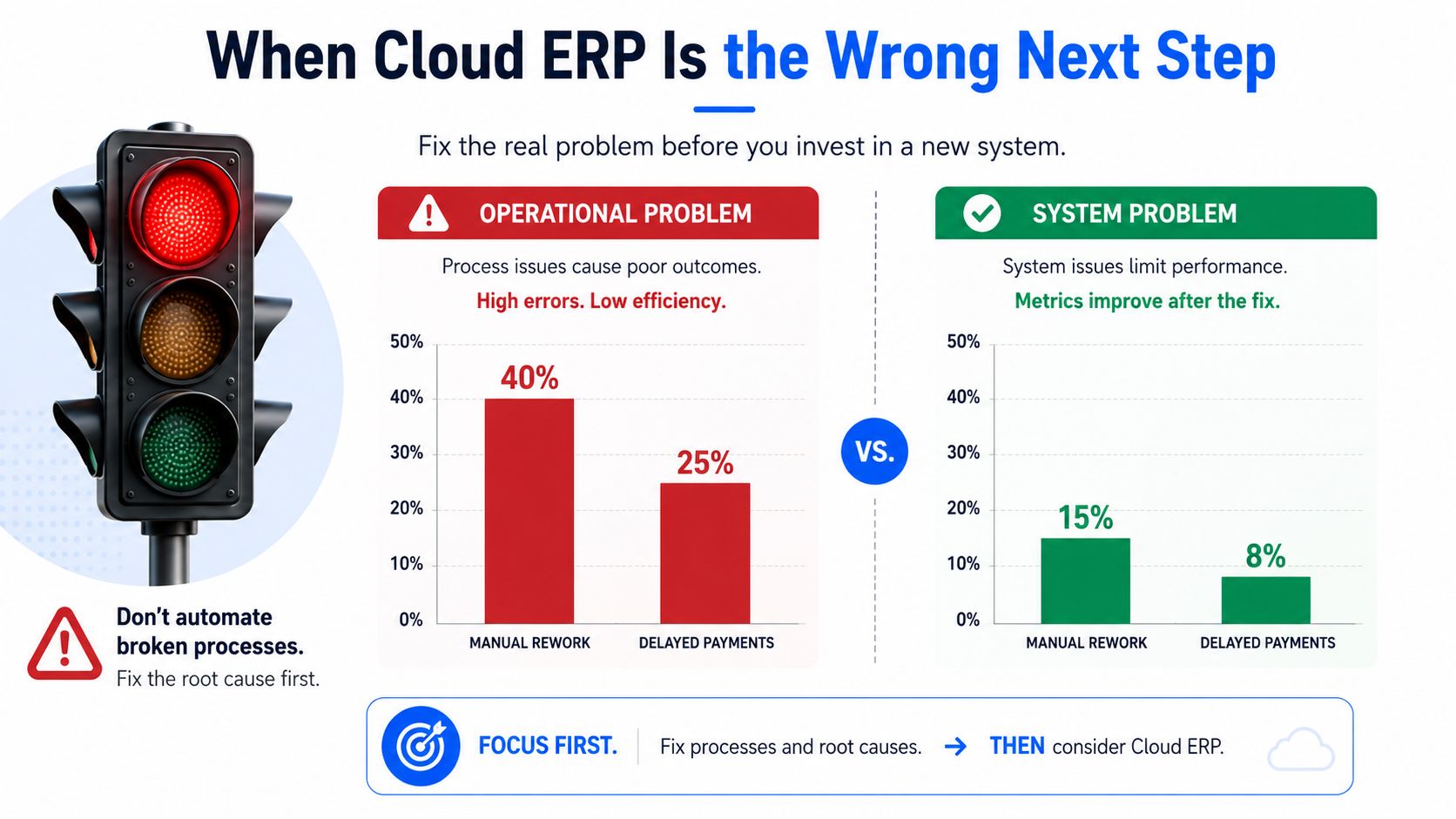
Don't buy ERP to fix a process problem. Fix the process first, then buy the system that makes the improved process repeatable.
Choosing the Right Implementation Partner

At the small-business and mid-market level, software capabilities often look similar during a sales demonstration. The implementation partner creates the practical difference between a configured application and a finance operating model that people use.
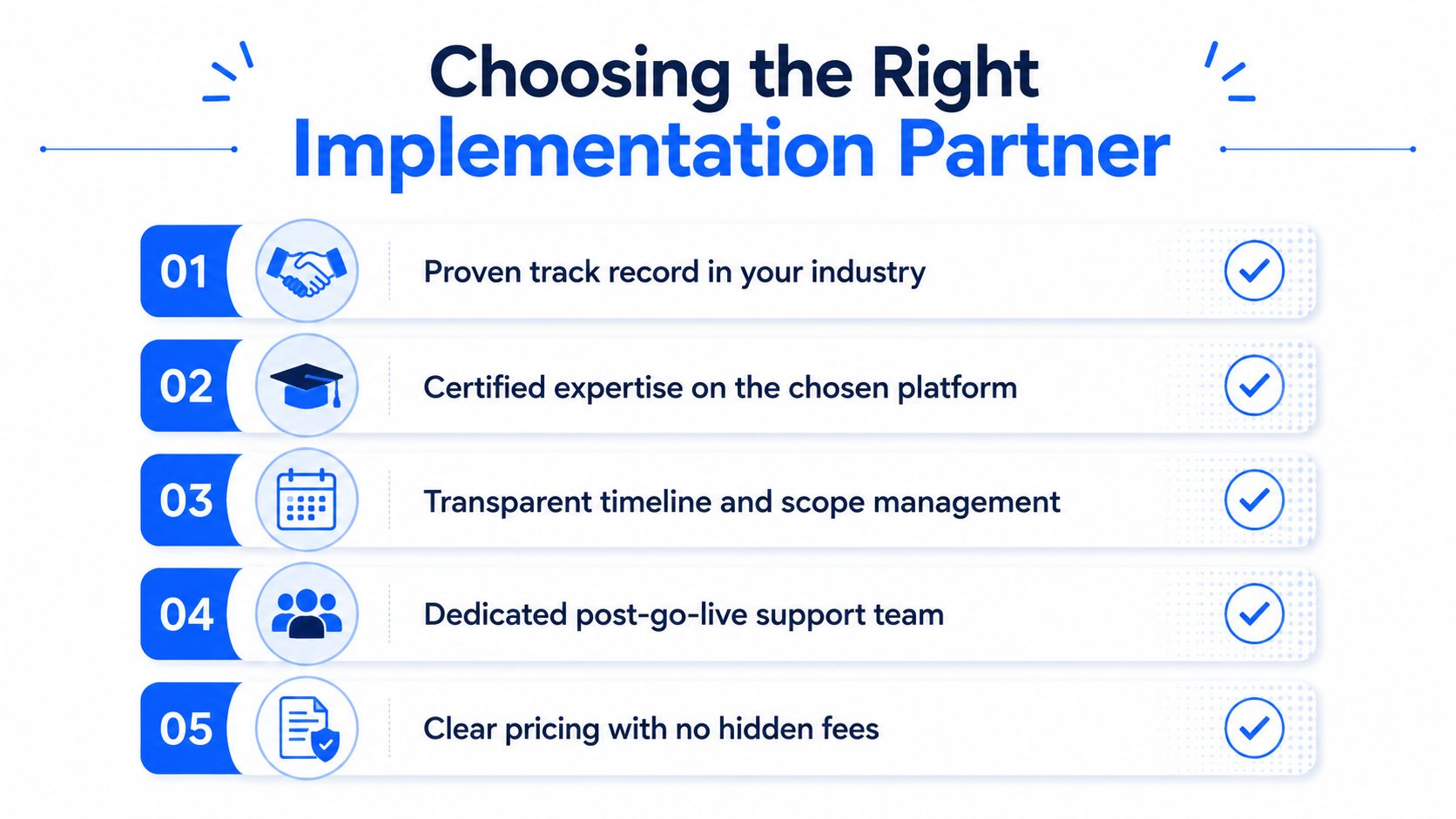
Evaluate five filters.
Platform and industry competence
The partner should have certified expertise in the selected platform and relevant experience with organizations that resemble yours. A healthcare provider, nonprofit, dental service organization, and professional services firm may all need financial management, but their dimensions, reporting, revenue, compliance, and operational workflows differ.
Finance-first discovery
The partner should map your close, billing, purchasing, approvals, entities, intercompany flows, and reporting before configuring screens. A price quoted before that discovery is a warning sign. It usually means the partner is selling a package rather than estimating the work.
A specific statement of work
The SOW should name deliverables, assumptions, exclusions, milestones, testing responsibilities, migration scope, and acceptance criteria. “Configure reporting” isn't a deliverable. “Build and validate the agreed entity, department, project, and management-reporting structures” is closer to one.
Post-go-live accountability
Support should be measured in response expectations and named ownership, not a generic ticket queue. Ask how the partner will monitor adoption, unresolved issues, close performance, and user questions after launch. The right team remains involved as finance develops confidence.
Comparable references
Request references from similarly sized organizations in your industry. Ask those clients what happened during data validation, user training, the first close, and the first audit after launch. Those answers reveal more than a polished implementation timeline.
Lucentive is a Sage Intacct National Premier Partner with experience across mid-market businesses, healthcare, and nonprofit organizations. Its role is relevant when the buyer wants advisory and implementation support around Sage Intacct rather than treating software selection as the entire project.
The practical standard is simple. Choose a partner that can explain how the system will change your close, controls, reporting, and staff responsibilities. A partner acting as a fractional finance operations advisor during implementation is more valuable than one that only knows how to configure fields.
Summary
Cloud ERP for small business is not just a software decision. It is a finance operating model decision. Companies usually outgrow QuickBooks when close cycles stretch, multi-entity reporting moves into spreadsheets, approvals stay informal, and leadership cannot get one reliable version of the numbers.
The best buying process starts with finance requirements, not product demos. Buyers should evaluate reporting structure, approval workflows, migration scope, integrations, security responsibilities, and three-year total cost of ownership before signing. Sage Intacct can be a strong fit when the business needs dimensional reporting, tighter controls, faster closes, and a more scalable foundation.
Implementation still determines the outcome. A successful project depends on clean data, a defined close process, deliberate migration choices, a clear access policy, and an implementation partner that understands finance operations as well as software.
FAQ
How long until we close in five days or fewer?
A strong answer identifies the specific work required, including chart-of-accounts design, close ownership, recurring entries, reconciliations, approvals, reporting structures, migration validation, and user training. It also explains what the finance team must change internally. A weak answer promises a date without showing the operating path.
What will the first three years really cost?
The answer should include subscription, implementation, migration, integrations, training, support, internal staff time, additional entities, and likely change orders. A single license number is not a TCO model. Ask for assumptions and exclusions in writing so the board can understand what the proposal does and doesn't include.
How will consolidation work without manual journal entries?
The vendor and partner should demonstrate entity reporting, intercompany transactions, eliminations, currencies, dimensions, and management reporting using your structure. Sage Intacct's financial report structures support account groups and dimensions for multi-entity reporting, rather than forcing every consolidation into separate spreadsheet rollups, as described in the multi-entity report structures documentation.
Ask about limitations before signing. QuickBooks Online retains audit logs for only two years, after which older records are archived and inaccessible, according to multi-entity accounting guidance. Sage Intacct provides advanced audit trails that can return field-level record changes and include private entities in a multi-entity company, as detailed in its advanced audit trail documentation.
What does security and compliance actually cover?
A strong answer separates vendor controls from customer responsibilities. It addresses SOC reports, data residency, disaster recovery objectives, access administration, endpoint policies, encryption in transit, and breach notification terms. A weak answer sends a security brochure and assumes the buyer's risk review is complete.
| Buyer Question | Weak Answer | Strong Answer |
|---|---|---|
| When will the close improve? | “Go-live will make it faster.” | A documented process, ownership, testing, and adoption plan tied to close activities |
| What is the total cost? | “The subscription is the main cost.” | Three-year TCO with implementation, integrations, training, support, and assumptions |
| How does consolidation work? | “The system supports multiple entities.” | A demonstration of entities, intercompany flows, eliminations, dimensions, and reporting limits |
| Is the system secure? | “We have compliance certifications.” | Clear division of vendor and customer controls, plus recovery and breach terms |
These questions separate a finance-grade platform from an upgraded accounting system carrying an ERP label. They also reveal whether the implementation partner understands the operating consequences of the purchase.
Schedule a 30-minute working session with the Lucentive team to review your QuickBooks environment, entity structure, close process, and reporting priorities, then see a Sage Intacct demo built around your decisions rather than a generic feature tour. Visit Lucentive to book a no-pressure discovery conversation and determine whether Sage Intacct, a staged modernization plan, or another path fits your company.