Month-end usually doesn't break because the books are chaotic, it breaks because one report won't tie. A Controller pulls the aging trial balance, the GL control account says something else, and now the team is stuck reconciling open items instead of closing the period. If you're running finance for a growing company, you know that feeling, the close slows down, questions stack up, and the audit trail starts to look thinner than it should.
The fix isn't another spreadsheet workaround. You need a report that behaves like a close-control tool, not just a collections list, and you need the right ERP discipline behind it. That's where Sage Intacct plus the right implementation partner changes the outcome, because the report can be configured to support a real month-end cutoff, not just a snapshot of who owes what right now. Lucentive works with mid-market finance teams that have outgrown QuickBooks and need that level of control, especially in healthcare, nonprofit, and multi-entity environments. If you want the broader context on how finance teams get there, this perspective on blending tech with talent is worth a read.
Table of Contents
- Introduction When Your Close Stalls on Aging
- What an Aging Trial Balance Is and Why It Matters
- How an Aging Trial Balance Differs From Aged Reports
- Understanding Aging Buckets and Date Logic
- How to Prepare an Aging Trial Balance Step by Step
- Sample Formats Templates and Practical Examples
- Troubleshooting Common Issues and Distortions
- Summary
- Frequently Asked Questions
Introduction When Your Close Stalls on Aging
The red flag usually shows up late. Your AP or AR lead says the aging trial balance is “close,” but it still doesn't match the ledger, one entity is off, and nobody wants to sign off until someone explains the difference. By then, the close calendar has already slipped, and leadership is waiting on numbers they can't fully trust.
That's not a collections problem. It's a close-control problem, and it gets worse when teams are still using tools that weren't built for multi-entity reporting, clean cutoff logic, or audit-ready traceability. The common pattern is simple, QuickBooks gets the company started, then growth adds more locations, more customers, more credit activity, and more reasons the aging report becomes harder to trust.
A better setup gives the CFO and Controller a report that can be used as part of the close, not just as a collections aid. That means the aging view has to reconcile cleanly, support a defined as-of date, and separate normal open balances from exceptions that distort the story. Sage Intacct gives finance teams that structure, and Lucentive's role is to implement it in a way that matches how the business closes, reports, and gets audited. For teams that want a deeper look at the AR side of that workflow, Lucentive's Sage Intacct Accounts Receivable resource is a practical starting point.
What an Aging Trial Balance Is and Why It Matters
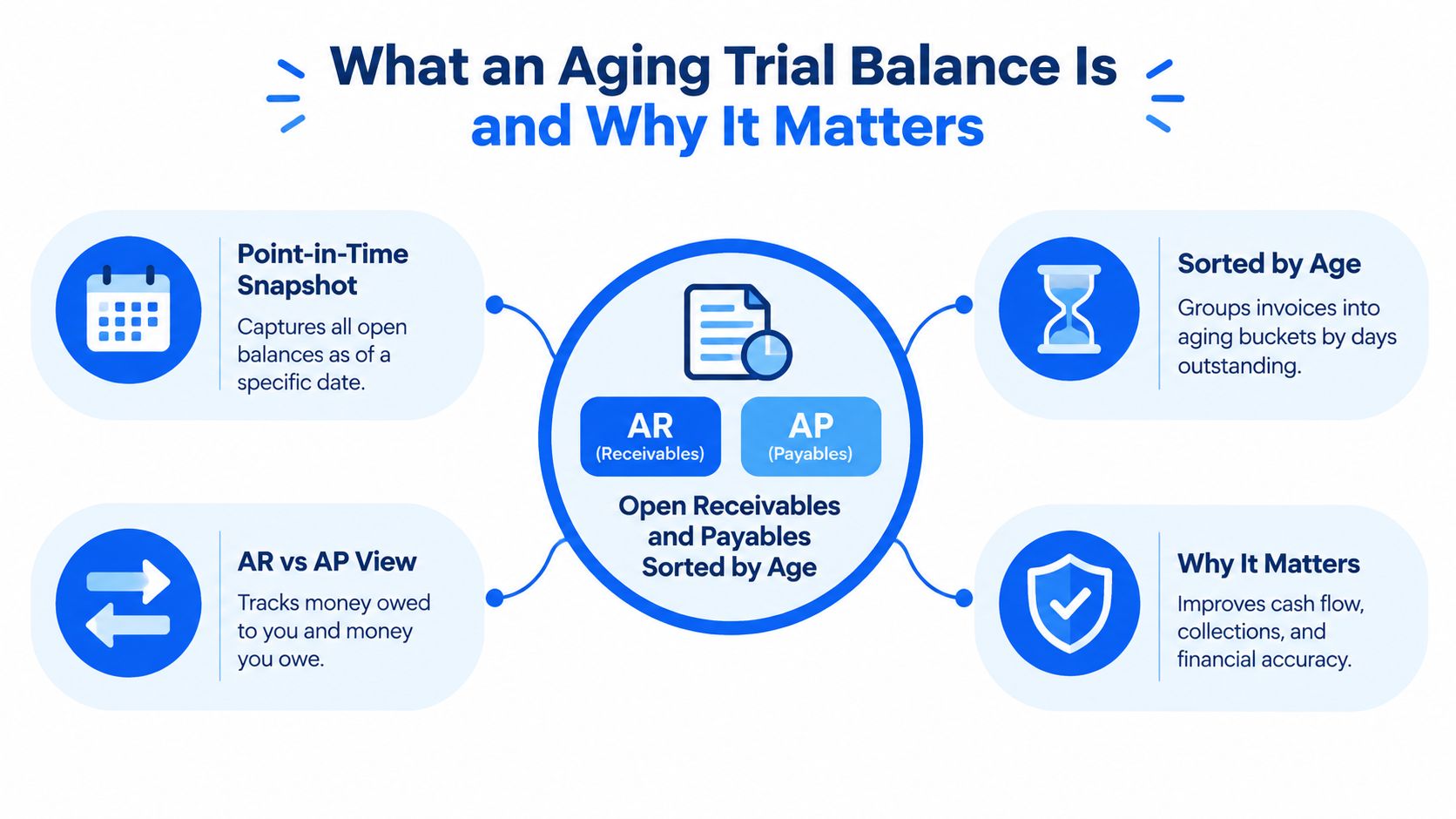
An aging trial balance is a point-in-time report that shows open receivables or payables grouped by how long they've been outstanding. It's built on the same verification mindset as the classic trial balance, but instead of comparing debits and credits across the general ledger, it sorts balances into age categories so finance can see what's current, what's drifting, and what needs attention.
The core purpose is decision-making
A controller doesn't use this report to admire the totals. They use it to decide whether balances still look collectible, whether collections needs to intervene, and whether the close can move forward with confidence. That matters because receivables lose collectability as they age, and the buckets give finance a fast read on where risk is building. The point is visibility, not just volume.
The report is typically built by taking each open invoice, calculating days past due, assigning it to the right bucket, and summing the amounts by customer. That means it can be reviewed at the customer level, the bucket level, or both, depending on how much detail the finance team needs. In practice, a Controller can scan the 90+ day bucket, identify the accounts that need action, and decide whether the report is still a reliable close input or just an operational collections list. For a deeper look at how reporting and dashboards support that review, Lucentive's Sage Intacct dashboards and reporting page is the right reference point.
Practical rule: if the aging report can't be explained by source transactions, it's not ready to support the close.
How an Aging Trial Balance Differs From Aged Reports
Finance teams often use the words interchangeably, then wonder why the totals don't line up. They're not the same report, and treating them like they are creates avoidable close noise. A standard trial balance is about ledger integrity, while an aged trial balance is about balance timing and bucketed exposure.
Use each report for the right job
A standard trial balance compares debits and credits across the general ledger. An aged trial balance shows balances as of a specific date and sorts them into age categories. Operational aged AR or AP reports are different again, they're usually used for collections or payables work and often reflect a live operational view rather than a strict close cutoff. That distinction matters because the report you use should match the decision you're making.
| Report Type | What It Shows | When To Use It |
|---|---|---|
| Standard Trial Balance | Debit and credit balances across the general ledger | Reconcile to the GL and support financial close |
| Aging Trial Balance | Open balances as of a specific date, grouped by age | Validate cutoff accuracy and review exposure at close |
| Aged Report | Operational open items for AR or AP work | Manage collections or vendor payables activity |
The practical question for a CFO is straightforward. If the goal is to prove the subsidiary ledger ties to the GL, the standard trial balance is the anchor. If the goal is to see what's overdue and how it's aging, the aged report helps collections. If the goal is to know whether the as-of balance is reliable for close, the aging trial balance is the one to trust, but only if the date logic and exceptions are configured correctly.
Understanding Aging Buckets and Date Logic
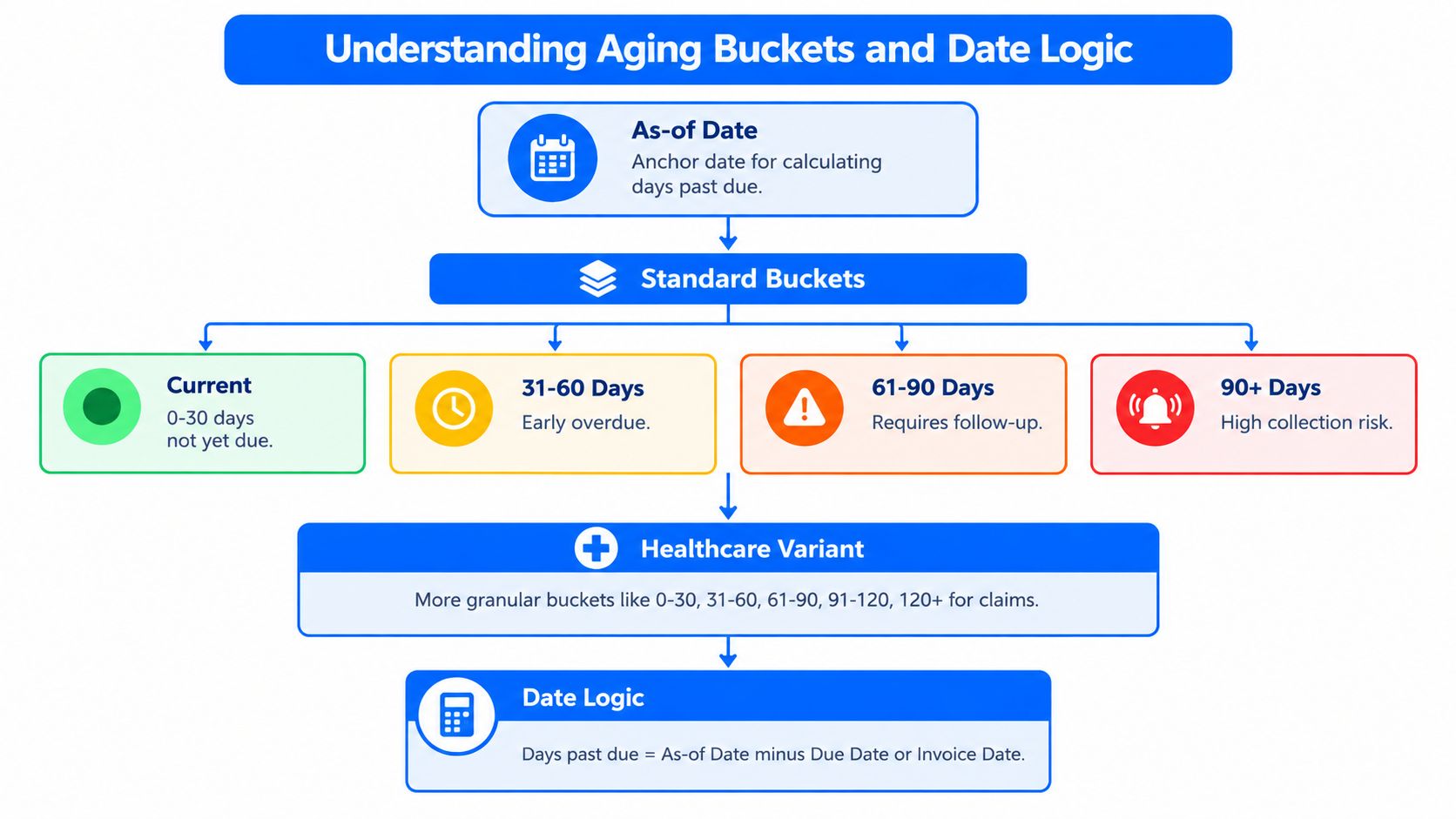
Aging buckets are the structure that gives the report meaning. The common buckets are current, 31 to 60 days, 61 to 90 days, and 90+ days past due, because they separate healthy balances from the ones that need attention. In healthcare, reporting often goes further, with HFMA MAP Keys using 0 to 30, 31 to 60, 61 to 90, 91 to 120, and greater than 120 days, which shows how industry needs can demand more detail than a basic four-bucket layout. HFMA's MAP Keys guidance reflects that broader structure.
The date basis changes the answer
A lot of teams get tripped up here. Some systems age by document date, others by due date, and some can print a status as of a selected period-end rather than live. That means two reports can look similar on the surface and still produce different bucket totals, especially when the finance team is trying to reconcile to a month-end close.
Bottom line: the wrong date basis can make a clean ledger look messy, or make a messy ledger look cleaner than it is.
A multi-site organization feels this most sharply at period-end. Headquarters needs the aging report to match the ledger as of the close date, while local teams may only care about current collections activity. If the report is configured on the wrong basis, the bucket totals move, the cutoff becomes unreliable, and the Controller spends time explaining variance instead of reviewing real risk. For teams that need dimension-driven reporting across entities, Lucentive's Sage Intacct dimensions page is where that conversation starts.
How to Prepare an Aging Trial Balance Step by Step
The report is only as good as the steps behind it. If the cutoff is wrong or the open-item population is incomplete, the output won't help the close no matter how polished it looks. Finance teams that do this well treat it like a repeatable procedure, not a one-off export.
Start with open items and a clean cutoff
Pull the unpaid invoices, credit memos, and any other open balances from the ledger. Set the as-of date first, then calculate days past due from the due date for each item, because the cutoff is what makes the report useful for close. If the date moves, the answer moves.
Bucket the balances and reconcile the total
Assign each open item to the right aging bucket, then sum the amounts by customer and by bucket. From there, reconcile the total back to the GL control account. That last step is what separates a close-control report from a casual collections view, because the reconciliation proves the subledger still agrees with the ledger.
Use summary mode when leadership needs a fast read, and detail mode when the team needs to investigate a mismatch. Sage documentation shows the report can be configured by date basis, summary or detail presentation, and aging periods, which is exactly why one team's output can look different from another team's even when they think they're running the same report. For teams that need this workflow embedded in month-end collaboration, Lucentive's Sage Intacct collaboration page is a useful reference.
- Extract open items, pull unpaid invoices and open credits.
- Set the as-of date, lock the cutoff before reviewing the numbers.
- Calculate days past due, use the due date, not guesswork.
- Assign bucket totals, current through 90+ or the industry-specific version.
- Reconcile to the GL, don't sign off until the totals tie.
Sample Formats Templates and Practical Examples
A useful aging report doesn't have to be fancy. It has to be readable, traceable, and aligned with how the business closes. The right format depends on whether you're reviewing AR, AP, or both as part of a working-capital view.
Standard layouts that finance leaders actually use
An AR aging trial balance usually lists the customer, the open balance, and the bucket columns across the page. That gives the Controller enough detail to spot concentration risk, overdue exposure, and customers that need follow-up. An AP aging view uses the same logic in reverse, which helps treasury and finance see what the company owes and when.
A combined working-capital format is useful when the CFO wants one view across money owed to the company and money the company owes out. It's not a substitute for a clean subsidiary ledger, but it is a strong management layer when the close is stable and the team wants a broader cash conversation.
| Format | Best Use | What To Watch |
|---|---|---|
| AR Aging Trial Balance | Collections, close support, customer risk review | Open credits and disputed balances |
| AP Aging View | Payables planning and cash management | Timing of bills and approvals |
| Combined Working-Capital View | Cash forecasting and leadership reporting | Whether AR and AP are on the same cutoff |
Healthcare teams often need more granular buckets, especially when they're using the HFMA-style structure mentioned earlier. That's not overkill, it's reality in environments where claims, denials, and timing differences need tighter reporting discipline. The right template should follow the date logic, the bucket structure, and the reconciliation standard, or it'll create more noise than insight.
Troubleshooting Common Issues and Distortions
Most bad aging reports aren't broken, they're incomplete. The problem is usually an exception the team didn't isolate before close. Credit memos, unapplied cash, customer disputes, and intercompany balances can all distort the buckets and make collectability look worse than it really is.
Check the exceptions before you trust the buckets
A customer with a valid dispute may look overdue, but the balance doesn't mean the same thing as an aging item with no issue. Unapplied cash can make the aging totals look inflated. Credit memos can sit in the wrong place if they haven't been applied cleanly. Intercompany balances can also muddy the picture when multi-entity teams aren't separating operational AR from internal settlement activity.
Then there's timing. If the report is run as a real-time operational view instead of a period-based snapshot, it won't necessarily match the month-end ledger. Write-off timing matters too, because an item that should have been cleared before close can remain in the aging buckets and distort the story. That's why the Controller should validate not just the total, but the cutoff, the open-item population, and the exception list before signing off.
A clean aging report is one where the exceptions are understood, not hidden.
Use this checklist before close. Confirm the as-of date. Confirm the report basis. Review unapplied cash and credits. Identify disputed balances. Check opening balance roll-forwards. Then reconcile the final total to the control account. If the report still doesn't tie after that, the issue is usually process discipline, not the report itself.
Summary
An aging trial balance is a point-in-time report that sorts open receivables or payables into age buckets so finance can judge exposure and support close. It's different from a standard trial balance, which compares debits and credits in the GL, and different from operational aged reports used for collections. Bucket structure, date logic, and exception handling all change the answer. When the report is prepared and reconciled correctly, it supports faster close, cleaner visibility, and a stronger audit trail.
Frequently Asked Questions
When should I trust the aging trial balance for close instead of collections?
Trust it for close when it's tied to the GL, built on the right as-of date, and adjusted for exceptions like unapplied cash or unresolved credits. Use it for collections when the goal is operational follow-up on overdue accounts. The same report can serve both jobs, but only the close version deserves source-of-truth status.
Why does document date versus due date matter so much?
Because the aging bucket changes based on which date starts the clock. The report should calculate days past due from the due date when you want meaningful overdue analysis. If a system uses document date instead, the bucket totals can shift and the close can drift away from what the GL says.
Why do healthcare aging buckets look different?
Healthcare often needs more granularity than the common four-bucket format. HFMA MAP Keys uses 0 to 30, 31 to 60, 61 to 90, 91 to 120, and greater than 120 days, which reflects the reporting needs of claims-driven environments. That extra detail helps teams separate ordinary aging from claim-specific timing issues.
How do credit memos and unapplied cash distort aging?
They can make the report look worse than collectability really is. A credit memo that hasn't been applied cleanly, or cash that's sitting unapplied, still affects the open-item view. That's why Controllers need to review exceptions before relying on the aging total as a close input.
What's the cleanest way to reconcile aging to the GL?
Start with the open-item population, use the correct as-of date, assign the balances to the right buckets, then total everything and compare it to the control account. If the numbers don't tie, check cutoff timing, write-off timing, open credits, and unapplied cash before assuming the report is wrong.
If this is the kind of close issue you're dealing with, schedule a 30-minute working session with Lucentive. We'll look at your aging workflow, show how Sage Intacct handles the reporting structure, and help you decide whether the fit is right for your company before you buy software or pick an implementation partner.
Lucentive helps mid-market finance teams turn aging reports into close-control reports, not just collections lists. If you want a clearer month-end process, a cleaner audit trail, and a Sage Intacct setup that fits how your team works, visit Lucentive and schedule a short working session with our team.