Payroll cleared the bank, but your Controller still can't close the month. Employee changes are buried in a shared drive, a tax notice is sitting in someone's inbox, and the payroll summary doesn't identify which clinic, department, or grant should carry the cost.
Gusto can organize payroll and HR administration. It doesn't replace finance ownership. For a company outgrowing QuickBooks, the useful outcome is a controlled flow from payroll into Sage Intacct, with clear approvals, usable reporting dimensions, and an audit trail. Lucentive's role is to help design that flow so the finance team isn't rebuilding it in spreadsheets every close.
Table of Contents
- What Gusto Covers and Which Team Owns It
- Who Gusto Fits and Which Workers It Can Pay
- How a Payroll Cycle Runs Inside Gusto
- Connecting Payroll to Your Ledger and ERP
- Confirm Your Ledger Map Before You Choose a Partner
- Summary
- Frequently Asked Questions
What Gusto Covers and Which Team Owns It
When payroll sits in a bank portal and employee records live elsewhere, the Controller becomes the person who discovers the gaps. Bringing those activities into Gusto helps, but only if finance and HR agree on who maintains records, approves changes, and resolves exceptions.
Gusto combines payroll runs, payroll-tax filings, year-end forms, employee records, onboarding, benefits, and workers' compensation administration. Its market positioning matters: VCBeast's Gusto company profile describes a major U.S. payroll and HR provider serving small and midsized employers, not a global enterprise ERP.
Gusto capabilities and typical ownership
| Capability | What It Covers | Usual Owner |
|---|---|---|
| Payroll runs | Scheduled pay runs, pay statements, direct deposit and pre-run review | Finance or Controller |
| Payroll tax filing | Federal, state and supported local payroll-tax filings | Finance, with tax advisor review |
| Year-end forms | W-2 and 1099-NEC processing | Finance |
| Employee records and onboarding | Employee profiles, onboarding tasks and stored documents | HR |
| Benefits | Health insurance and workers' compensation options | HR, with CFO sign-off on cost |
| Contractor payments | Scheduled payments to contractors and tax forms for U.S. contractors paid on the platform | Finance |
| Multi-location payroll | Tax application for supported locations | Finance and operations |
Finance should own the payroll register because it becomes a financial transaction. That includes reviewing payment totals, investigating tax notices, and confirming that contractor documentation supports the payment treatment. The IRS Employer's Tax Guide provides a reference for federal withholding, deposits, reporting, and corrections.
HR should maintain employee profiles and onboarding records. However, HR entering a compensation change shouldn't automatically authorize the resulting payment. Give finance an approved change record, not an informal message to interpret.
Benefits require shared ownership. HR manages enrollment and employee communication; the CFO approves employer cost commitments, while accounting reconciles deductions and contributions.
Practical rule: The person who enters a change shouldn't be the only person who approves its financial effect.
Multi-location payroll needs operations involved because someone must confirm where employees work. A supported location isn't the same thing as an employer having completed every necessary setup decision.
Treat Gusto as a system beside the ledger. Your accounting operating model should identify the authoritative record for employee details, approved compensation, payment history, and financial reporting.
Assign finance, HR, or shared ownership before implementation. That decision determines permissions, approval routing, and who investigates an exception when the system output doesn't match the business reality.
Who Gusto Fits and Which Workers It Can Pay
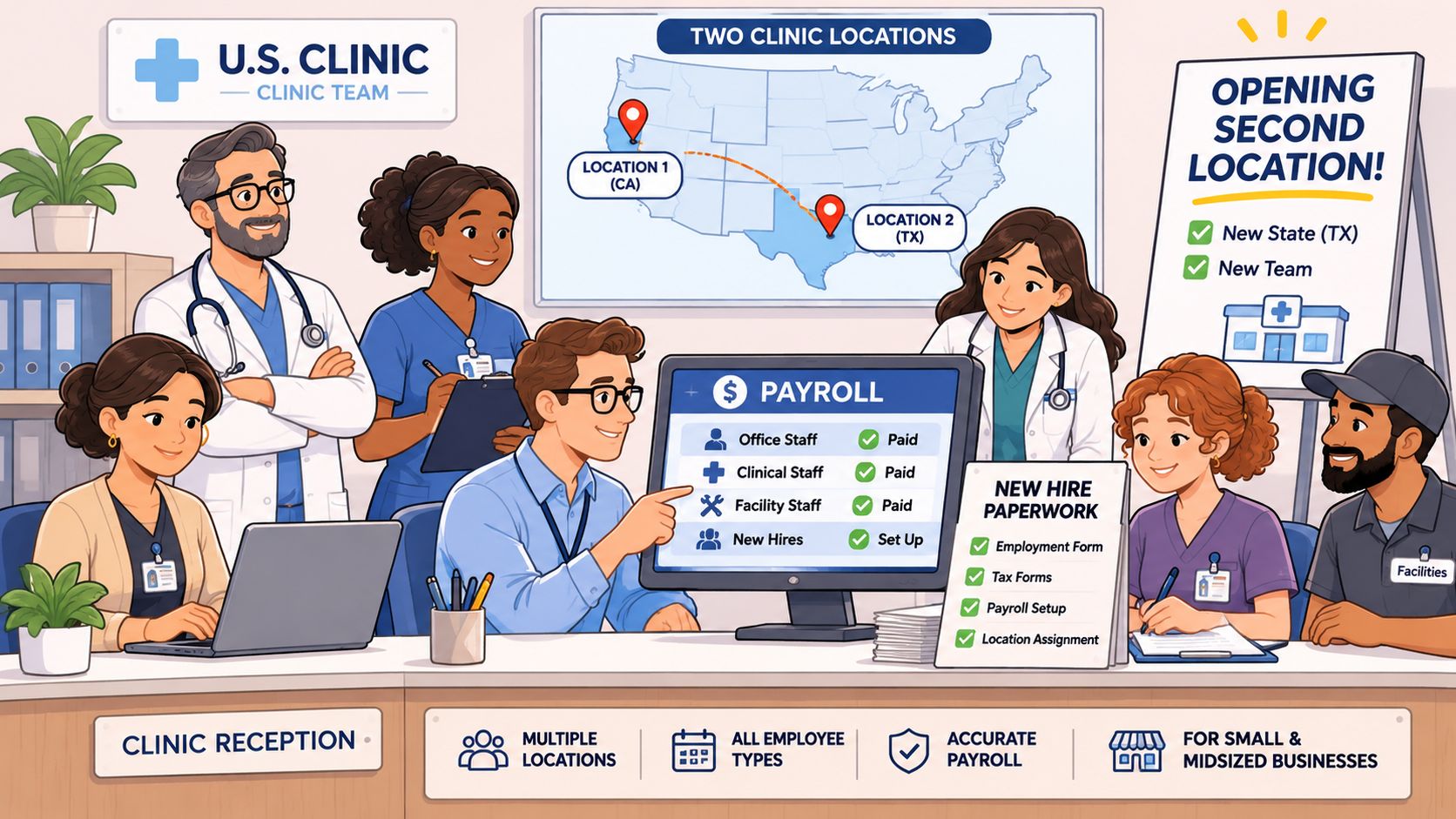
Say a clinic group opens another location across a state line. The practice manager adds employees, payroll processes successfully, and everyone assumes the compliance work is finished. The Controller should challenge that assumption before the next run.
Gusto is a sensible candidate for small and midsized U.S. employers, nonprofits with W-2 staff, and professional-services firms managing payroll across a manageable set of locations. The decision is not only whether it can send money. It's whether the organization can maintain the registrations, classifications, and accounting around those payments.
Recognize the fit signals
A straightforward fit usually has these characteristics:
- Simple structure: One legal entity or an uncomplicated ownership and payroll structure.
- Mostly U.S. employees: Limited exposure to overseas payment and reporting obligations.
- Manageable work locations: A location list the team can validate and maintain.
- Separate fund accounting: No expectation that payroll itself will perform grant or restricted-fund accounting.
Investigate more closely when the organization has:
- Several legal entities: Employers, bank accounts, and posting destinations need explicit separation.
- Restricted grant funds: Labor costs need allocation support beyond a payroll total.
- Cross-jurisdiction work: Employees move between cities or states.
- Mixed worker populations: Volunteers, founders, advisors, or overseas contractors appear alongside employees.
Gusto's business-compliance showcase describes state-registration tools, government-mail monitoring, and tax application for supported payroll locations. Those capabilities don't transfer nexus judgments, worker classification, or unsupported local-tax exceptions away from the employer.
Worker types, platform coverage and remaining ownership
Gusto's product showcase describes scheduled contractor payments, supported international contractors, and organizational records for unpaid or externally paid people, while distinguishing U.S. contractor forms from non-U.S. payments.
| Worker Type | Runs Through Gusto | Forms Gusto Creates | Still Owned By Your Team |
|---|---|---|---|
| U.S. W-2 employee | Yes | W-2 | Classification, work-location tax setup and registrations |
| U.S. contractor paid on the platform | Yes, as a scheduled contractor payment | 1099-NEC | Classification and contractor documentation |
| Contractor in a supported international country | Yes, for contractor payments | No tax forms for non-U.S. payments | Foreign reporting and withholding, with tax counsel |
| Volunteer or stipend recipient | Usually no | None for an unpaid record; determine stipend treatment before payment | Classification and reimbursement treatment, with counsel |
| Founder or advisor | Only when role and status support the payment method | Forms associated with the approved employee or contractor status | Classification decision before first payment |
| Off-platform compensation | No | None | Ledger reconciliation and documentation |
For U.S. employees, validate the employer, work location, and approved pay terms before enrollment. For U.S. contractors, collect documentation before scheduling payment and align your Form 1099 process with the vendor records accounting maintains. Use the IRS guidance on employee and contractor status to assess the working relationship rather than relying on the label in a contract.
International payment capability is not complete global workforce compliance. Finance must identify who evaluates foreign reporting and withholding, what documentation supports the arrangement, and whether local advice is necessary. Don't treat the absence of a platform-generated form as evidence that no reporting obligation exists.
Volunteers belong in an organizational record only if that reflects their actual relationship. A stipend requires its own classification review. Founders and advisors likewise need a status decision before payment, rather than a convenient label chosen during setup.
Off-platform compensation needs particular attention. An advisor paid through accounts payable or a founder reimbursed outside payroll won't automatically appear in the payroll review. Record the payment route, supporting documents, accounting treatment, and reviewer so year-end reporting doesn't depend on someone remembering it.
Payment automation reduces manual entry. Your team still decides whether the person, jurisdiction, and payment treatment are correct.
Before committing, test an actual cross-jurisdiction employee scenario. Identify the work locations, required registrations, supported tax treatment, and person responsible for resolving exceptions.
Classify your organization against the fit signals, then maintain a worker-obligation register with a named owner for each responsibility. Escalate grant-funded and multi-entity arrangements to tax counsel rather than expecting the payroll configuration to settle them.
How a Payroll Cycle Runs Inside Gusto
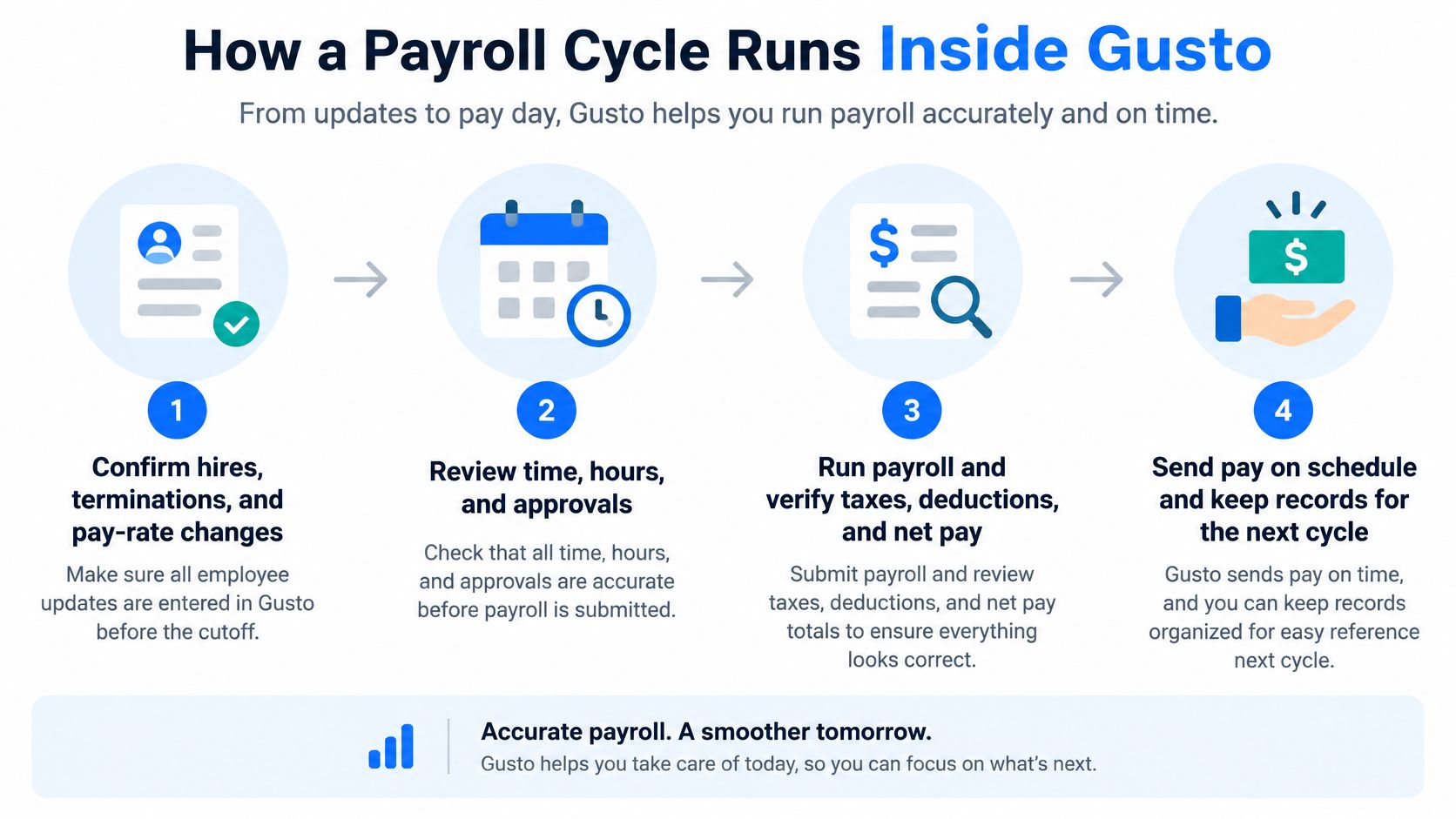
A reliable payroll cycle starts before anyone clicks submit and ends after accounting reconciles the result. Use the following sequence as a control design, with the exact tasks adapted to your configuration.
Run payroll with evidence at each handoff
Confirm employee changes before cutoff. Validate hires, terminations, and pay-rate changes against approved records because an incorrect master record flows into every later calculation.
Enter period activity. Import or enter hours, PTO, commissions, and bonuses, retaining the time approvals or compensation authorization that supports each input.
Review the preview register. Compare it with the prior period and investigate the variances your team has agreed to flag, including unexpected employees, unusual deductions, and unexplained pay changes.
Obtain independent approval. Have someone who didn't prepare the run review and approve it, with enough detail to challenge an incorrect payment rather than merely acknowledge the total.
Verify calculations and funding. Review calculated taxes, deductions, and net pay before submission, then confirm funding and remittance status through available records instead of assuming submission proves settlement.
Export the payroll journal data. Preserve the source report and identify the payroll period, posting date, and destination entity so accounting can trace the entry without reconstructing it.
Reconcile cash and liabilities. Match bank activity and payroll liability balances to the journal, investigating timing differences, unpaid amounts, and unexpected residual balances.
Archive the approval package. Retain the register, reviewer sign-off, exception explanations, journal, and reconciliation together so another person can follow the transaction. Check the IRS employment-tax recordkeeping guidance and Department of Labor payroll-record rules when setting retention periods and deciding which supporting records to preserve.
Separate preparation from approval
The SEC's agency financial report defines a material weakness as a deficiency, or combination of deficiencies, creating a reasonable possibility that a material financial-statement misstatement won't be prevented, or detected and corrected, on a timely basis.
That doesn't mean every payroll error is a material weakness. It explains why register review, independent approval, and reconciliation deserve more attention than a successful processing notification.
Segregation of duties must operate in practice. A second login isn't meaningful if the reviewer has no supporting records or approves after payments have already been released.
Build these handoffs into your record-to-report process. Before the first live run, document who performs each task and who approves it, then make the completed approval package the evidence that the cycle followed that design.
Connecting Payroll to Your Ledger and ERP
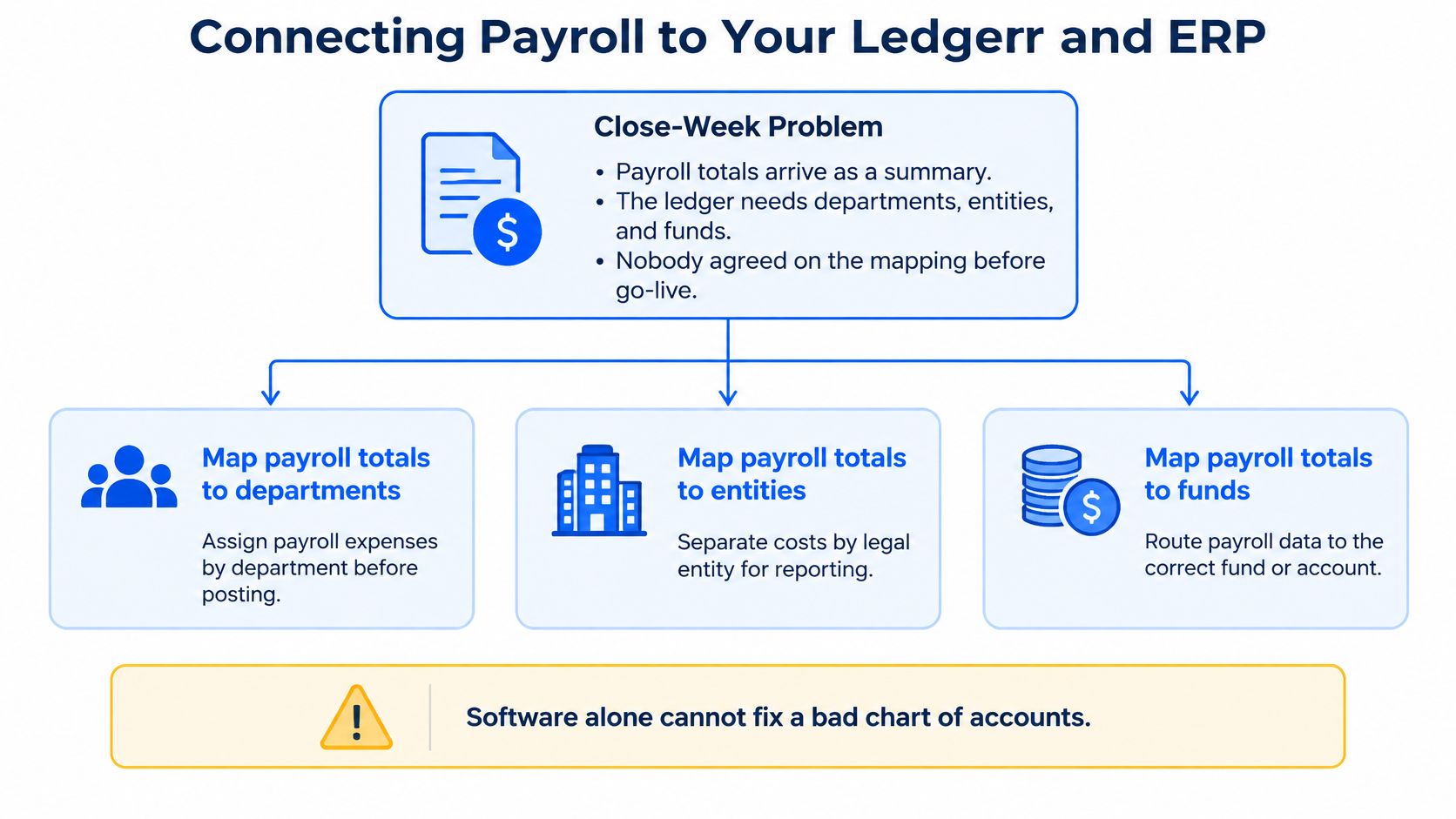
Close week arrives, and payroll sends a summary. Accounting needs departments, entities, and funds, but nobody agreed on the mapping before go-live. The Controller now has to reconstruct detail that should have been designed into the posting process.
Software produces payroll data. Finance designs its accounting meaning. Before drawing an integration diagram, inspect an actual export and confirm which fields it contains, how costs are grouped, and whether employee-level or allocation detail is available.
Payroll elements and their ledger treatment
| Payroll Element | Ledger Treatment | Dimensions to Carry |
|---|---|---|
| Gross wages | Salary expense, with accrual at period end where needed | Entity, department, fund or grant |
| Employer payroll taxes | Tax expense and payable liability accounts | Entity and jurisdiction |
| Benefit deductions and employer contributions | Deductions to liabilities; employer contributions to expense and liabilities, cleared on payment | Entity, plan type and program |
| PTO accrual | Accrued liability and expense | Department and entity |
| Contractor payments | Accounts payable or expense, according to the contract and payment workflow | Vendor, project and grant |
| Off-platform compensation | Manual journal with supporting documentation where not already recorded through another subledger | Entity, fund and approver |
Separate employee benefit withholdings from employer benefit expense. Clearing a liability when the carrier is paid isn't a reason to recognize the same expense again.
Apply the same discipline to contractor payments. If accounts payable already recorded the cost, importing another expense entry duplicates it. The mapping must account for both the source transaction and the settlement.
Preserve reporting relationships, not just totals
For nonprofits, the ledger design must support obligations outside payroll. The IRS expenditure-responsibility reporting guidance requires the foundation's annual report to include the grantee's name and address, grant date and amount, purpose, amounts spent based on the latest grantee report, known diversions, report-receipt dates, and verification dates and results.
That is a foundation reporting obligation, not a claim that every nonprofit payroll entry must contain every listed item. The accounting implication is to preserve relationships among expenditures, grants, entities, projects, and supporting documents so the responsible team can assemble its evidence.
Design test: Can accounting trace a posted labor cost to its payroll source, allocation basis, and approval without rebuilding a spreadsheet?
Sage Intacct's role is the ledger where accounting dimensions are configured and reported. Don't confuse a payroll connection with a completed reporting design; the same distinction applies when assessing payroll-to-ERP integration architecture.
Software alone leaves mapping decisions and exception testing with the internal team. The right partner plus implementation adds a structured design and test process before live posting. Test corrections, reversals, period-end accruals, and rejected dimensions, not just an uncomplicated payroll run.
Confirm Your Ledger Map Before You Choose a Partner
Gusto can produce clean payroll output and still leave finance with a ledger problem if the mapping is untested. Treat this review as a gate: the team either proves how pay elements land in entities, departments, funds, grants, and approvals, or the project scope changes before signatures.
Complete the readiness checks
Build the worker-obligation list. Include employees, contractors, volunteers, founders, advisors, and externally paid people, with an owner for classification, payment, and reporting.
Mark work locations and entities. Identify the employing entity and actual work locations, flagging cross-state and cross-city arrangements for review.
Trace the prior quarter's payroll. Rebuild the register-to-ledger reconciliation using the element-and-dimension map, documenting missing detail, manual allocations, and unexplained balances.
Set approval points. Identify preparers, reviewers, and evidence retained at each handoff, including coverage when the usual approver is unavailable.
For a wider vendor-selection screen, use Benely's payroll selection guide beside your own ledger requirements so payroll convenience never outranks accounting fit.
Choose support around the unresolved work
If your team can demonstrate the complete mapping and control process, the remaining work may be configuration. If gaps appear around dimensions, approvals, or exception handling, budget for design and testing support instead of treating those tasks as incidental.
Lucentive is a Sage Intacct Value Added Reseller and Premier Implementation Partner serving healthcare, nonprofit, and general business organizations. We start by understanding how your business operates, work with a range of vendor partners, and tailor the solution when a standard setup does not fit.
The target is a Sage Intacct general ledger design that supports reporting and review without extra reconciliation work. Bring actual payroll output and a representative ledger report to a working session; gaps found there are cheaper than gaps found after the first live run.
Summary
Gusto covers payroll, tax filings, year-end forms, employee records, benefits, and contractor payments, with finance and HR sharing defined responsibilities. It serves small and midsized U.S. employers rather than replacing a global enterprise ERP. Automation reduces manual entry, but registrations, classification, and local-tax exceptions remain employer responsibilities. Overseas contractor reporting and off-platform payments need separate owners. Before live processing, map payroll into entity, department, fund, and grant dimensions, supported by independent approvals and segregation of duties. A working session should test fit against your actual worker mix, controls, and ledger requirements.
Frequently Asked Questions
Is Gusto built for large enterprises?
Gusto is positioned for small and midsized U.S. employers, not as a global enterprise ERP. Evaluate it as a payroll and HR layer alongside your financial system. A business with several entities, restricted funds, or complex work-location arrangements should examine the operational boundaries carefully. The deciding question is whether the payroll output and employer-owned controls can support the company's accounting and reporting requirements.
Can Gusto pay contractors outside the United States?
Gusto supports contractor payments in supported international countries, but it doesn't create tax forms for non-U.S. contractor payments. Your company and tax counsel still own the foreign reporting and withholding assessment. Before payment, document the contractor's status, payment route, and reporting owner. International payment functionality should be evaluated separately from global compliance coverage, especially when other compensation also flows through accounts payable or external payment channels.
Does Gusto handle multi-state payroll tax on its own?
Gusto applies taxes for supported locations and offers compliance tools, but the employer still owns registrations, nexus judgments, classification, and local exceptions. A successful payroll run doesn't establish that every underlying decision is correct. Test a real employee who works across jurisdictions, confirm the supported treatment, and identify who resolves any gap before relying on the configuration for live payroll.
Does Gusto replace the general ledger?
No. Payroll outputs still need to be mapped into the general ledger using the dimensions your organization requires, such as entity, department, fund, and grant. Accounting must also reconcile cash, liabilities, accruals, and payments recorded elsewhere. Inspect the available export detail before designing the connection. An integration can transfer information, but it doesn't decide how your company should recognize, allocate, approve, or report the resulting costs.
Who should approve payroll runs?
A person who didn't prepare the payroll should review and approve it. That reviewer needs the preview register, approved changes, and explanations for flagged variances, not just a payment total. Archive the approval with the payroll records and reconcile the resulting cash and liabilities. This separation supports financial-reporting controls by creating opportunities to prevent or detect errors before they become an unresolved reporting problem.
Do volunteers and founders run through Gusto?
Volunteers usually don't run through payroll, although unpaid people can appear in organizational records. A stipend needs a classification and reimbursement review before payment. Founders and advisors can be paid through an appropriate employee or contractor workflow only after their role and status have been determined. Don't choose a payment category based on convenience; finance and counsel should settle the treatment before the first payment.
Lucentive helps finance leaders connect payroll requirements to a Sage Intacct design built around their entities, reporting dimensions, and controls. Visit Lucentive to schedule a no-obligation, 30-minute working session with our team, bringing your worker list, payroll export, and ledger gaps so we can assess fit and outline a Sage Intacct demo.