The payroll file arrives on Tuesday. By Thursday a controller is staring at a wage expense balance that doesn't match the register, and nobody can say which account absorbed the difference without opening three spreadsheets and a benefits reconciliation.
That gap is where payroll projects fail. Not in the run itself, and not in the tax filing, but in the handoff between ADP and the general ledger.
Treat ADP as a source system with control obligations, not just a payroll tool. What follows covers the mapping that turns a payroll register into journal entries, the reconciliation most close checklists skip, the entity-level controls auditors ask about, and the accountability hole that opens when an employee's pay goes wrong and nobody is sure who can fix it.
Table of Contents
- What ADP Does and Why Payroll Data Matters
- How Payroll Data Flows Into the General Ledger
- How to Reconcile Payroll to the General Ledger
- Multi-Entity and Audit Trail Controls
- Who Owns Workforce Issues When Payroll Goes Wrong
- Confirm the Integration Plan Before You Choose a Partner
- Summary
- Frequently Asked Questions
What ADP Does and Why Payroll Data Matters
Payroll runs on a fixed calendar. The ledger closes on a fixed deadline. Those two clocks never negotiate, and the controller absorbs the difference.
Consider the last payroll period of the month. The register totals gross pay, employer taxes, withholdings, voluntary deductions, and the net pay that hit employee bank accounts. The general ledger shows whatever the last journal import posted, plus a benefit accrual someone keyed by hand, plus a rounding difference nobody has owned since the prior quarter. On the first pass, those two views rarely agree.
Where ADP sits in the chain
ADP's 2024 annual report traces the company to its 1949 founding as Automatic Payrolls, Inc., and describes how a payroll processor became a human-capital-management provider covering payroll, tax, benefits administration, HR, and workforce reporting. In fiscal 2024 it reported serving more than 1.1 million clients and paying over 42 million workers across more than 140 countries and territories.
The scale tells you something about your close: ADP is the system of record for what your people were paid and what was withheld, and it sits upstream of every wage, tax, and benefit liability you report.
Two data sets finance actually touches
The payroll register is the per-employee record of what was calculated: gross, each deduction, employer taxes, net. The journal summary is the aggregated version that posts to the ledger. Confusing the two is the single most common source of rework, because the register proves accuracy while the summary proves completeness.
ADP produces the payroll record and its supporting journals and summaries. ADP's payroll-records guide outlines the underlying pay, tax, and deduction information finance needs to preserve. Your team decides how those amounts map to accounts, entities, departments, and periods. That division of responsibility is where control either exists or doesn't.
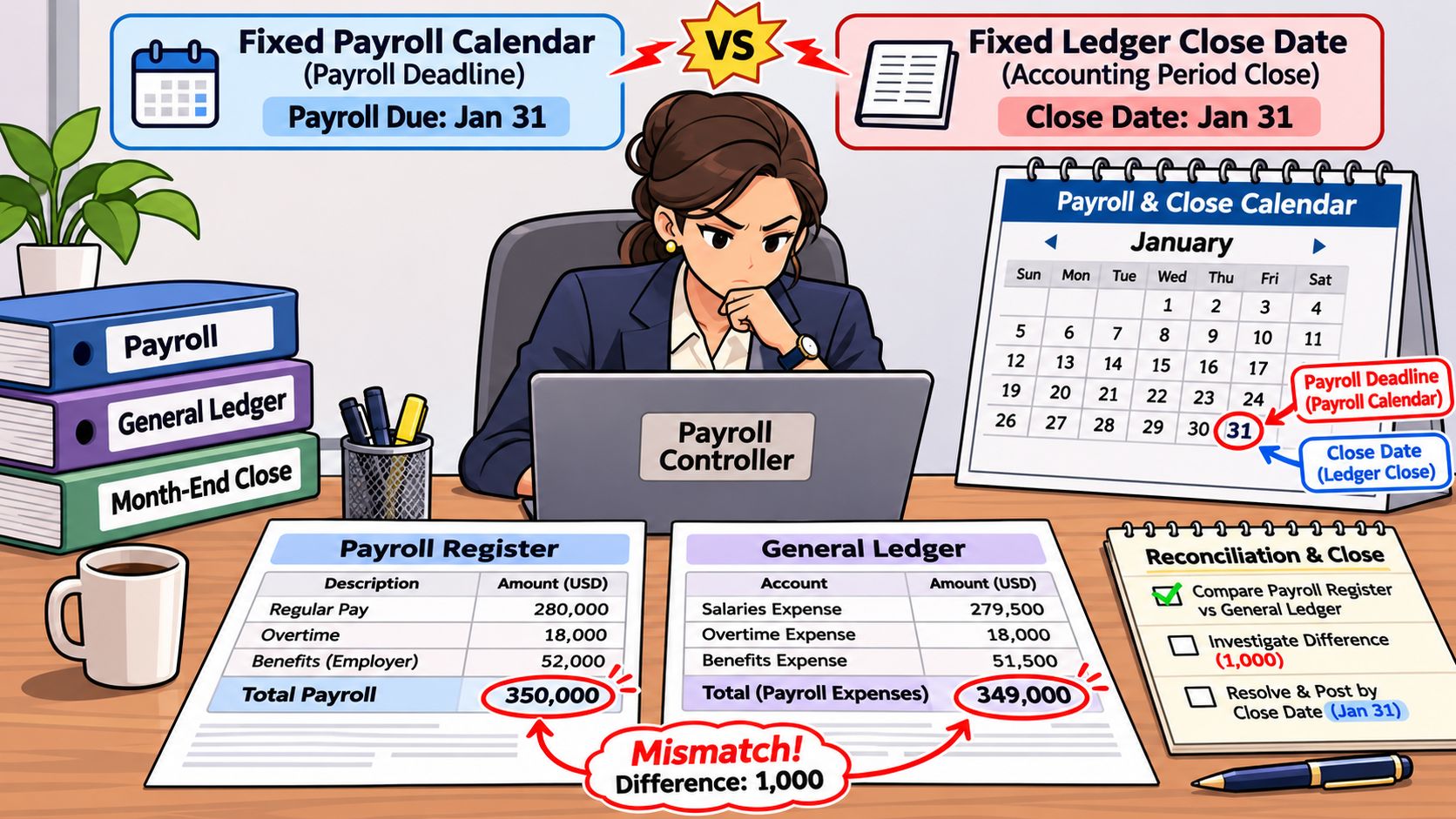
Each payroll run creates expense, liabilities, and cash movements that have to reconcile every period. Payroll isn't only an HR process.
How Payroll Data Flows Into the General Ledger
Four stages take a run from calculation to a posted, reconcilable entry. Skip any of them and the close gets slower, not faster.
The run calculates gross pay, employer taxes, withholdings, and deductions. ADP then generates the journal summary for that run. Depending on your ADP product and integration, journal data may be retrieved through an export or an API; ADP's developer documentation is a starting point for checking the options available to your team. Your ERP maps each line to accounts, cost centers, or entities and assigns the accounting period. Finally, the entry posts, and liabilities clear as funds move to employees, tax authorities, and benefit providers.
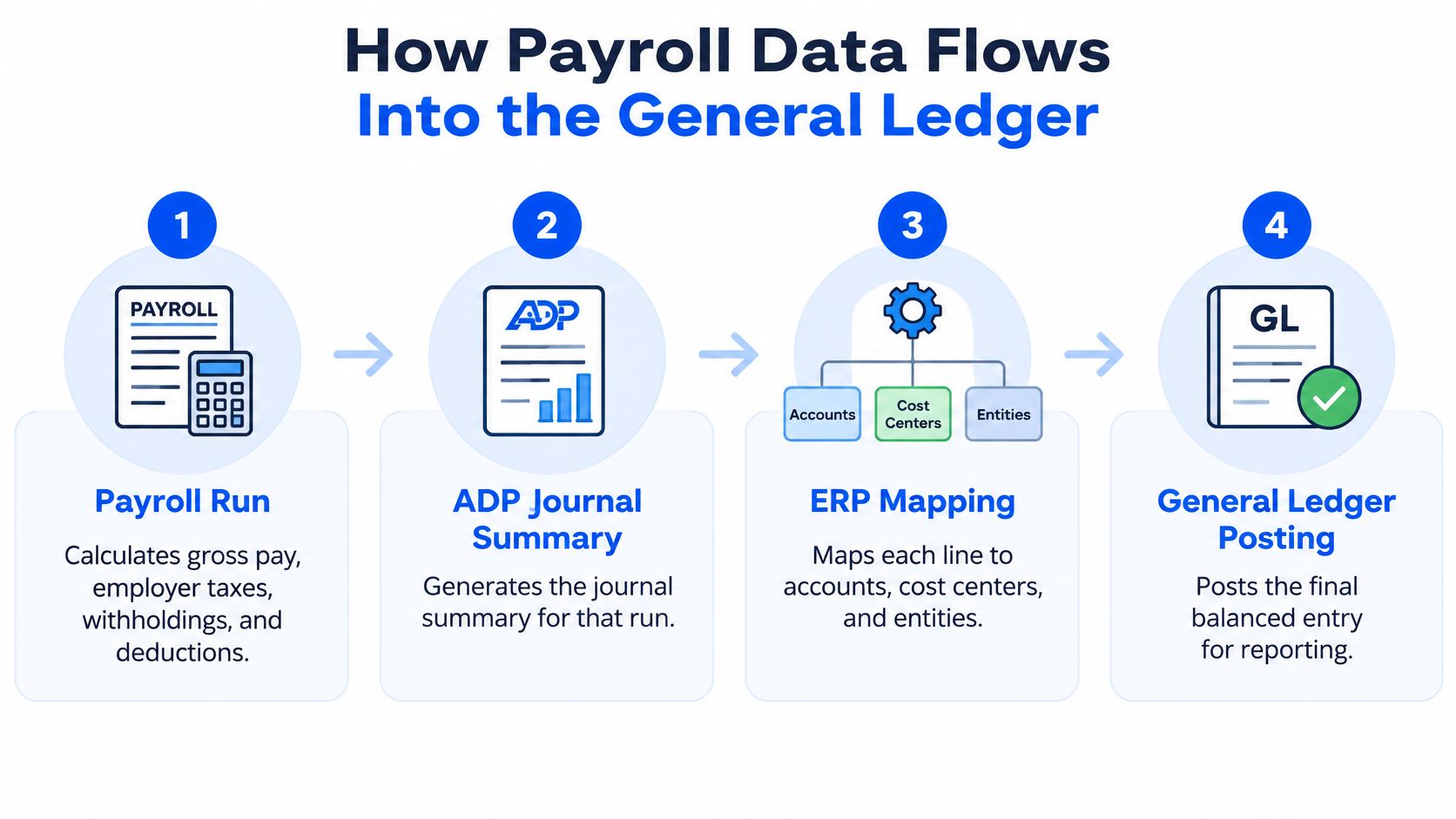
Here's the mapping most implementations get wrong on the first pass, and the check that catches it.
| Payroll component | Typical ledger treatment | Reconciliation check |
|---|---|---|
| Gross wages | Debit wage expense by department or entity | Ties to the gross total in the payroll register |
| Employer payroll taxes | Debit payroll tax expense, credit tax liability | Ties to tax deposit and filing records |
| Employee tax withholdings | Credit withholding liabilities | Clears when remitted to tax authorities |
| Voluntary deductions (benefits, retirement) | Credit benefit or retirement liabilities | Clears when remitted to providers or plans |
| Net pay | Credit cash in the payroll bank account | Matches the payroll bank disbursement |
| Employer benefit costs | Debit benefit expense | Ties to provider invoices or the benefit cost summary |
Chart-of-accounts design differs by company, so treat that column as the typical treatment, not a universal rule. A nonprofit splitting grant-funded positions across programs will map wage expense very differently from a dental group running six locations.
Where the mapping breaks
Three decisions cause most of the rework. Employer taxes must stay separate from wages, or every labor-cost report understates burden. Benefit and withholding liabilities must stay out of expense, or the P&L double counts costs. And departments need to resolve to cost centers or dimensions at import time, because retrofitting location reporting six months later means re-opening closed periods.
If you want the full sequence from source document to financial statement, the record-to-report process flow is worth reading before you design the import.
Three edge cases to plan for
- A pay period that straddles month-end: split the entry so wages land in the period the work was performed, and record the accrual explicitly rather than letting the whole run post to whichever month the check date falls in.
- Retroactive pay changes: use effective-dated worker and earning records so a rate correction hits the right period instead of restating a closed one.
- Off-cycle runs: bonus runs, final pays, and correction checks must use the same mapping as regular runs, or your liability balances drift.
The standard to hold: every journal line traces back to a specific line in the payroll register.
How to Reconcile Payroll to the General Ledger
Treat reconciliation as a procedure with steps, not a judgment call at 6 p.m. on close day.
- Pull the payroll register totals for the period: gross pay, employer taxes, deductions, net pay.
- Pull the journal summary ADP produced for that same run and confirm it agrees with the register.
- Import the journal under a unique batch reference so a re-run can't double-post.
- Compare posted GL totals to the journal, by account and by entity.
- Tie net pay to the payroll bank disbursement, and tie employer taxes and withholdings to remittance records and liability balances.
- Move any unresolved difference to a suspense account with a named owner and a deadline. Never post a plug.
- Have a reviewer who didn't perform the import sign off.
The reason this deserves its own procedure is volume. ADP reports paying more than 26 million U.S. workers, roughly one in six American workers, and processing over 78 million year-end tax statements and more than $3.3 trillion in client funds during fiscal 2025, according to its 2025 annual filing. The same filing is blunt about the control objective: the integration should reconcile net pay, employer taxes, deductions, cash disbursements, and liability balances to the register and the ledger, not just move gross expense.
Practical rule: a three-way reconciliation among the payroll register, the imported journal, and the bank or tax-payment activity isolates almost every difference in minutes instead of days.
A mid-period rate change illustrates why. Say an employee's salary adjustment was approved on the 18th and keyed with an effective date in the prior month. A two-way comparison of register to GL shows a total that's off by a few hundred dollars and no obvious cause. The three-way view shows the bank disbursement matched the register exactly, which means the journal posted correctly and the error sits in the effective dating. You've found it in one pass.
Unresolved differences get quarantined, never absorbed without notice. That discipline is the backbone of audit readiness and it's the difference between a two-day close and a two-week one.
Multi-Entity and Audit Trail Controls
Every legal entity or site that runs payroll produces its own journals. Consolidated reporting is only as clean as the weakest entity.
The SEC's guidance on management's report on internal control over financial reporting is clear that the report would typically be expected to cover controls at all consolidated entities, regardless of the basis used for consolidation. Entity-level ownership is an audit requirement, not a reporting upgrade.
Give each entity a named close owner and an approval threshold, and confirm every entity's payroll journals post through the same mapping.
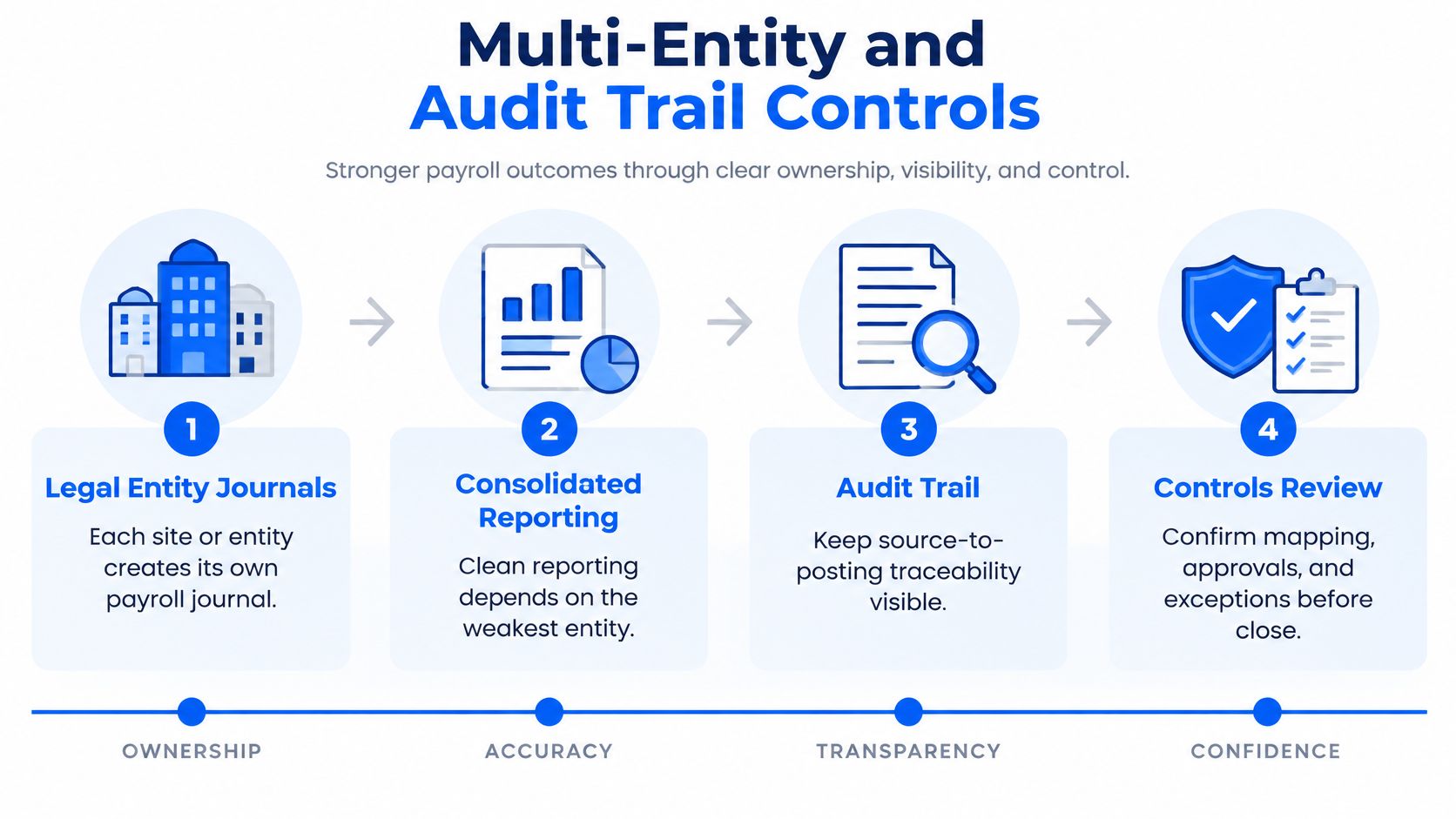
Retention is set by rule, not preference
SEC Rule 17 CFR §210.2-06 requires accountants to retain records relevant to audits or reviews of interim financial statements for seven years, while AICPA guidance cited in the record-retention material says audit documentation should not be retained for fewer than five years from the report release date. That same guidance favors secure, computer-generated, time-stamped audit trails recording the creation, modification, or deletion of electronic records.
Electronic records can be altered, deleted, or become unavailable, and auditors may need to request retention while the information still exists. For payroll records covered by the FLSA, the U.S. Department of Labor's recordkeeping guidance specifies minimum retention periods for payroll and wage-calculation records. Evidence that lives only in a system is persuasive only when access controls, segregation of duties, and change monitoring support its accuracy and completeness.
Take this checklist into your next close review:
- Named owner per entity, with an approval threshold documented.
- Non-preparer review of the change log for rate changes, master-data edits, and journal approvals.
- Verified backups, tested rather than assumed.
- Documented retention periods, matched to the rules above.
- Logged approvals on every journal, retrievable after the fact.
For groups running several sites, the mechanics of multi-entity accounting matter more than the reporting layer.
Who Owns Workforce Issues When Payroll Goes Wrong
An employee's direct deposit doesn't land. A W-2 shows the wrong state. An overtime figure is disputed. The employee calls the payroll line, or searches for an answer, and the answer points back to you.
ADP's own support guidance for employees confirms the pattern: the employer, not ADP, is generally the party authorized to correct payroll data or restore access. The employee experiences the problem inside the platform; the fix depends on an internal administrator.
That's a governance problem dressed as a service-desk problem. In multi-site clinics, dental groups, and nonprofits, local managers, HR, finance, and the payroll administrator often all assume someone else owns it.
| Issue | Who authorizes the fix | Evidence to collect first |
|---|---|---|
| Missing or delayed direct deposit | Employer payroll administrator | Pay statement, pay date and record of any bank detail change |
| Incorrect Form W-2 | Employer payroll administrator | Year-end tax statement and prior-year wage records |
| Disputed overtime or hours | Site manager with timekeeping approval rights | Time records and approval history for the period |
| Locked employee account | Employer payroll administrator | Access request log and identity verification notes |
The escalation workflow that closes the gap
Every site should share the same six elements: an issue log capturing date and location, a named owner per issue type, an internal response target, evidence collected before any correction, rules on what employee information can be shared, and a standard message to affected staff when pay timing is in doubt.
Workforce management data explains a large share of overtime disputes. Scheduling rules and time-capture policy should be consistent across sites before the arguments arrive, not after.
A self-service payroll platform removes routine administrative work and concentrates operational risk in the same move. The risk lands wherever responsibilities aren't written down.
This is a staffing and operating-model question before it's a software question, which is why blending tech with talent can help CFOs build the ultimate finance team rather than adding another portal to the stack.
Confirm the Integration Plan Before You Choose a Partner
Two paths get payroll data into your ledger, and they cost different amounts of your team's time.
Software alone gives you a ledger and an import tool. The payroll-to-ledger mapping, entity structure, intercompany treatment, close calendar, reconciliation owners, and the parallel pay cycle that proves the integration still fall to your team, usually in the middle of a close. Partner-led implementation puts those decisions in front of the people who will sign off on them before go-live, and hands the controller a documented control set before the first live run.
Settle these in order: the chart of accounts across entities, the payroll-to-ledger mapping, intercompany treatment of shared payroll costs, approval thresholds, reconciliation owners, and a parallel pay cycle.
The parallel pay cycle is the step teams cut when a deadline tightens. It is also the only step that proves the mapping works before it touches a live close.
Lucentive is a Sage Intacct Premier Implementation Partner and Value Added Reseller with deep experience serving mid-market, healthcare, and nonprofit finance teams. Its ERP advisory work starts with requirements built from your actual close, a side-by-side comparison of platforms, and an honest fit assessment that may recommend staying where you are if Sage Intacct isn't the right answer. That advisory starts at a $5,000 fixed fee and takes 2 to 4 weeks, and the fee is credited against implementation if you proceed. Selection work of that shape is the job of an ERP software selection consultant, not a demo.
The order matters more than the software. Get the mapping and the controls right, and the platform decision gets easier.
Summary
ADP is the system of record for payroll and workforce data, and its journal summaries are what your team maps into the ledger. Each payroll component has a typical ledger treatment and a check that confirms it posted correctly, with employer taxes kept separate from wages and liabilities kept out of expense. Reconciliation runs register to journal, journal to GL, then net pay, taxes, and liabilities to bank and remittance records, with differences quarantined and signed off by a second reviewer. Controls cover entity-level ownership, change logs, and record retention. Because the employer is generally the party authorized to correct payroll data, each issue type needs a named owner and an evidence list.
Frequently Asked Questions
Does ADP post journal entries directly to my general ledger?
No. ADP produces the payroll register plus supporting journals and summaries, and your team decides how those amounts map to accounts, entities, departments, and periods. The journal is imported into your ERP under a unique batch reference so a re-run can't double-post. The mapping and the import sit inside your control environment, which is why the chart of accounts and cost-center structure have to be settled before the interface is built rather than after.
What should I reconcile after every pay run?
Three ties, in order. Start with the register against the journal summary ADP produced for that run. Then compare posted GL totals to the journal by account and entity, and tie net pay to the payroll bank disbursement. Employer taxes and withholdings go to remittance records and liability balances. Any unresolved difference moves to a suspense account with a named owner and a deadline, never a plug entry, and a reviewer who didn't perform the import signs off before the period closes.
Who fixes a missing direct deposit or an incorrect W-2?
The employer, in most cases. ADP's support guidance confirms the employer is generally the party authorized to correct payroll data or restore access, so an employee's problem gets resolved by an internal administrator rather than by the vendor. That gap between who experiences the issue and who can fix it is a governance question. Assign a named owner and an evidence list to each issue type (deposit timing, tax statements, overtime disputes, locked accounts), publish an internal response target, and give staff a standard message they can send while the fix is in progress.
How long should payroll audit records be kept?
Long enough to satisfy the retention rules that apply to your audit. Securities regulations and professional audit standards set multi-year minimums measured from events such as the report release date or the end of the audit period, and your auditor can confirm which window applies to your filings. Whatever period you adopt, the records need to live in secure, computer-generated, time-stamped audit trails that capture the creation, modification, or deletion of electronic records, so a reviewer can see who changed what and when.
Do all of our payroll entities need the same chart of accounts?
They need a consistent, documented mapping rather than identical accounts. Each entity's payroll mapping, approval thresholds, intercompany treatment of shared payroll costs, and close ownership should be settled before consolidation. Management's internal-control report is expected to cover controls at all consolidated entities regardless of the consolidation basis, so entity-level sloppiness surfaces as an audit finding rather than a reporting inconvenience.
Payroll is usually the largest recurring journal your team posts, and the handoff from ADP is where most close delays and audit findings start. Lucentive helps finance teams at healthcare organizations, nonprofits, and growing businesses design that handoff before they commit to a platform, so the mapping, entity structure, and reconciliation owners are agreed while the decisions are still cheap to change. If you're weighing Sage Intacct, visit Lucentive to schedule a working session and walk your payroll flow with our team.