Your Controller has reconciled the bank accounts, but the board pack still isn't ready. Someone needs to combine company files, match intercompany charges, and explain why the clinic-level margin report doesn't agree with the consolidated workbook. QuickBooks accounting software may be recording transactions correctly. The problem is the work your team must do around it.
The decision isn't whether QuickBooks is good software. It's whether your finance team can produce a timely, defensible close without rebuilding the reporting process every month.
Table of Contents
- What QuickBooks Accounting Software Does for One Business
- QuickBooks Editions, Prices and User Limits
- Where QuickBooks Is the Right Tool
- Signs Your Company Has Outgrown QuickBooks
- Where Multi-Entity Reporting and Integrations Break Down
- Decide Whether to Move Off QuickBooks Now
- Summary
- Frequently Asked Questions
- Is QuickBooks accounting software suitable for a single-entity business?
- Which QuickBooks Online edition should a growing team consider first?
- Can QuickBooks consolidate several companies into one report?
- How long are QuickBooks Online audit logs kept?
- What should a finance leader do before deciding to move?
What QuickBooks Accounting Software Does for One Business
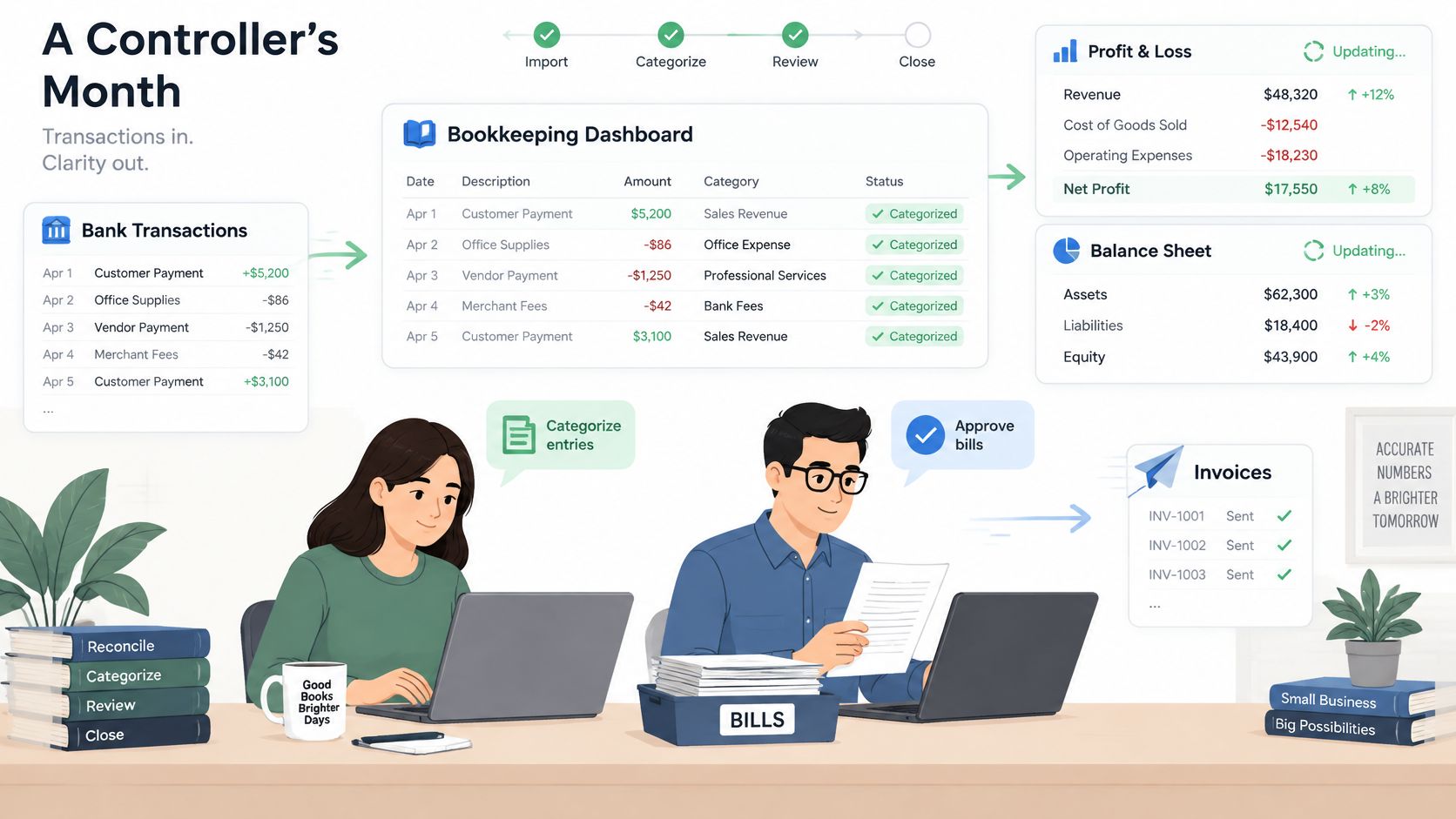
A small company can run routine bookkeeping in a single QuickBooks file: transactions are categorized, bills and invoices are recorded, and financial statements update as entries are posted. The software keeps the core records together while an owner or bookkeeper manages the books.
Its everyday jobs include:
- Bank activity: Import transactions, categorize receipts and expenses, and reconcile balances.
- Receivables and payables: Issue invoices, track customer payments, enter bills, and record supplier payments.
- Tax and reporting: Track sales tax and produce standard financial statements for management and accountants.
Desktop and Online serve different operating models
Desktop runs installed software using a company file. Online provides subscription accounting in the cloud. Both are designed around maintaining a business's books, with the specific workflow depending on the product and how the company operates.
The Intuit fact sheet traces QuickBooks to founders Scott Cook and Tom Proulx in 1983, Intuit's public listing in 1993, and QuickBooks Online reaching 1 million paid subscribers by 2015, followed by approximately 6.5 million in fiscal 2023. Separately, ElectroIQ's QuickBooks statistics reported that more than 7 million small-to-medium-sized businesses worldwide used QuickBooks as of 2024. These figures describe different measures and should not be treated as interchangeable customer totals.
For simpler requirements, Blue Sage Tax & Accounting Inc.’s guide can help you find accounting software that fits. Specialized requirements, such as fixed asset tracking alongside QuickBooks, deserve a separate evaluation before you rely on the software to meet them.
If the workload around maintaining the books is growing, moving from QuickBooks to a cloud ERP is one option to assess. The right decision depends on whether the current system and processes can support the company's reporting needs.
QuickBooks Editions, Prices and User Limits
| Edition | Monthly price shown in the cited pricing information | Chart of accounts limit | Best fit |
|---|---|---|---|
| QuickBooks Online Simple Start | $38 list; promotional $19 per month for 3 months | Not listed here | Sole owner-operators with simple books |
| QuickBooks Online Essentials | $85 listed; $75 base reported effective August 1, 2025 | Not listed here | Small teams that bill time and track bills |
| QuickBooks Online Plus | $115 base, effective August 1, 2025 | Not listed here | Businesses tracking inventory and projects |
| QuickBooks Online Advanced | $275 base, effective August 1, 2025 | Not listed here | Companies needing custom reporting and more users |
| QuickBooks Desktop Pro or Premier | Current pricing is available from Intuit | 10,000 accounts | Single-company desktop accounting |
| QuickBooks Desktop Enterprise | Current pricing is available from Intuit | 100,000 accounts | Larger desktop operations requiring performance testing |
The historical Online price schedule comes from Brown Plus's QuickBooks pricing update, which reported $38, $75, $115, and $275 respectively, effective August 1, 2025. Intuit's subscription page also listed Simple Start at $38 per month, with a $19 monthly promotion for three months. Intuit's QuickBooks pricing page listed Essentials at $85 per month for up to 3 users. Because the Essentials figures differ, check the current price at checkout rather than relying on a past price schedule.
Intuit's Desktop list-limit guidance specifies 10,000 chart-of-accounts entries and 14,500 combined names for Pro and Premier, compared with 100,000 accounts and more than 100,000 combined names for Enterprise. Intuit also notes that performance decreases as company-file size increases. For Online, check Intuit's current usage-limits guidance when comparing plans: it lists a maximum of 250 accounts for Simple Start, Essentials, and Plus, and unlimited accounts for Advanced.
Choose for the work, not the tier name
Before upgrading, check the work the new tier needs to support:
- Who needs access? Set transaction entry, approval, and review responsibilities before counting users.
- What must be tracked? Inventory and projects require more than basic income-and-expense recording. If you report by department, location, or service line, check whether class and location tracking fit your plan: Intuit's usage-limits guidance says Plus allows 40 combined classes and locations, while Advanced allows unlimited classes and locations. Intuit also explains how classes categorize transactions.
- What reporting must be repeatable? Test your actual management pack, not a sample dashboard.
Practical rule: A higher tier can add capacity and functionality. It does not provide native group consolidation across separate company files.
For Desktop, test searches, backups, and reporting with realistic data. A nominal list limit does not guarantee that your busiest close workflow will remain comfortable.
Where QuickBooks Is the Right Tool
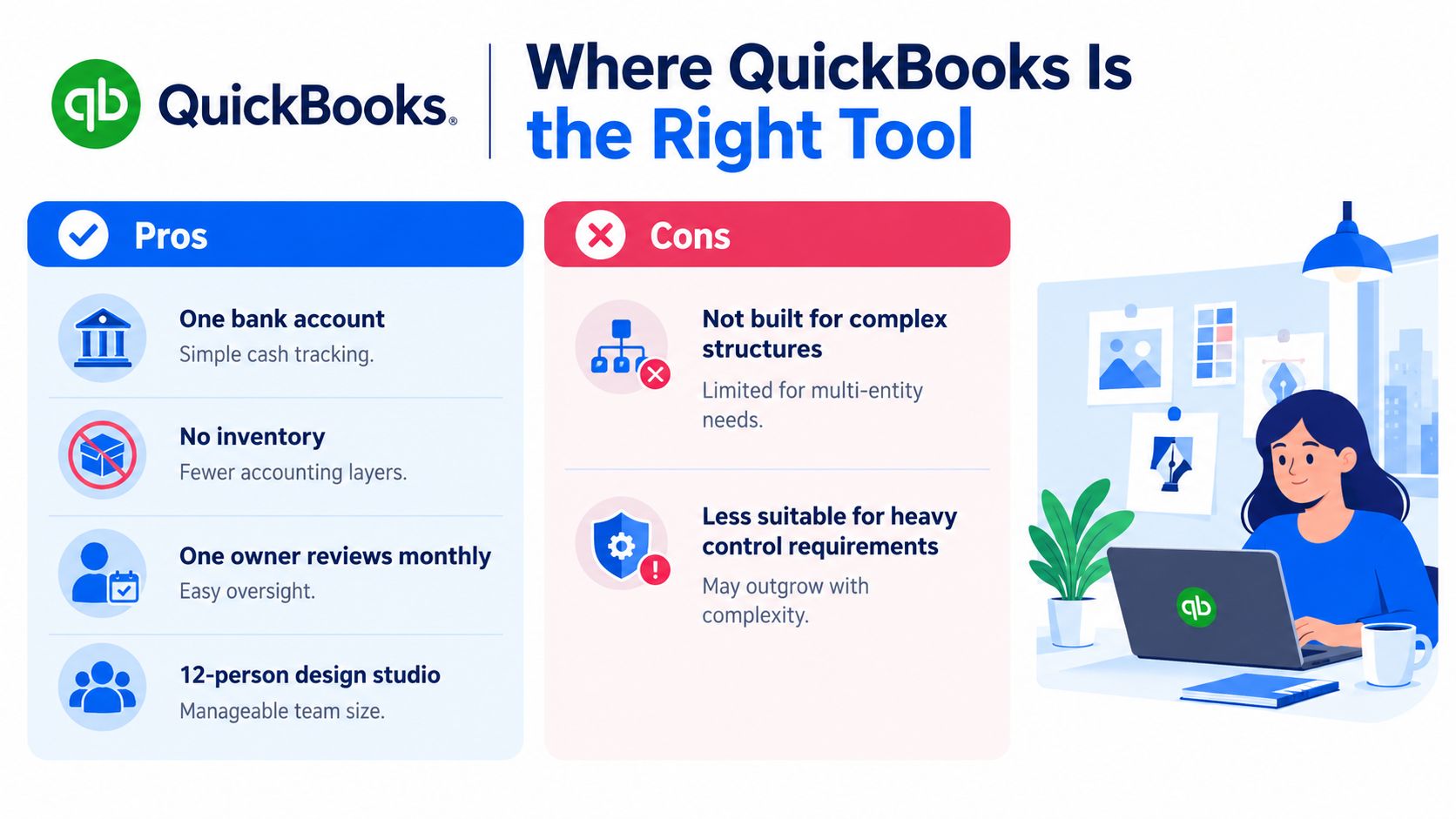
Say a 12-person design studio has one bank account, no inventory, and an owner who reviews the books monthly. That hypothetical company doesn't need an elaborate finance architecture just because it plans to grow. QuickBooks can be a sensible fit.
The advantages are practical: relatively fast setup for straightforward books, low entry cost, familiar workflows for bookkeepers and accountants, and connected applications for adjacent tasks. Keeping the accounting environment simple can be the right financial decision when the reporting requirements are also simple.
A substantial platform, with a defined scope
QuickBooks Online isn't merely a legacy desktop product delivered through a browser. In its fiscal 2025 results, Intuit reported QuickBooks Online Accounting revenue of $4.12 billion, compared with $3.379 billion in fiscal 2024. That establishes its scale as an ongoing cloud-accounting business, although revenue alone doesn't establish suitability for your organization.
The trade-off is design scope. A straightforward ledger and standard statements are different requirements from a reporting model that must combine entities, preserve local accountability, and enforce several approval paths.
GrowCFO's finance technology analysis describes the strain that single-entity systems encounter across multiple locations or entities, particularly when teams rely on manual consolidation. Custom reporting and workflow customization deserve careful testing rather than assumptions about what an upgraded subscription will solve.
A conditional verdict
QuickBooks may remain economical when:
- The structure is simple: Management can understand performance from one coherent set of books.
- Controls fit the workflow: Review responsibilities are clear and exceptions are manageable.
- Reports are reproducible: Someone other than the workbook's author can produce and explain them.
Look at the entities, funds, service lines, locations, and approval layers you expect to add over the next two years. If those plans change the reporting model, assess cloud ERP benefits against specific requirements. Don't replace a working ledger merely to buy a broader feature list.
Signs Your Company Has Outgrown QuickBooks
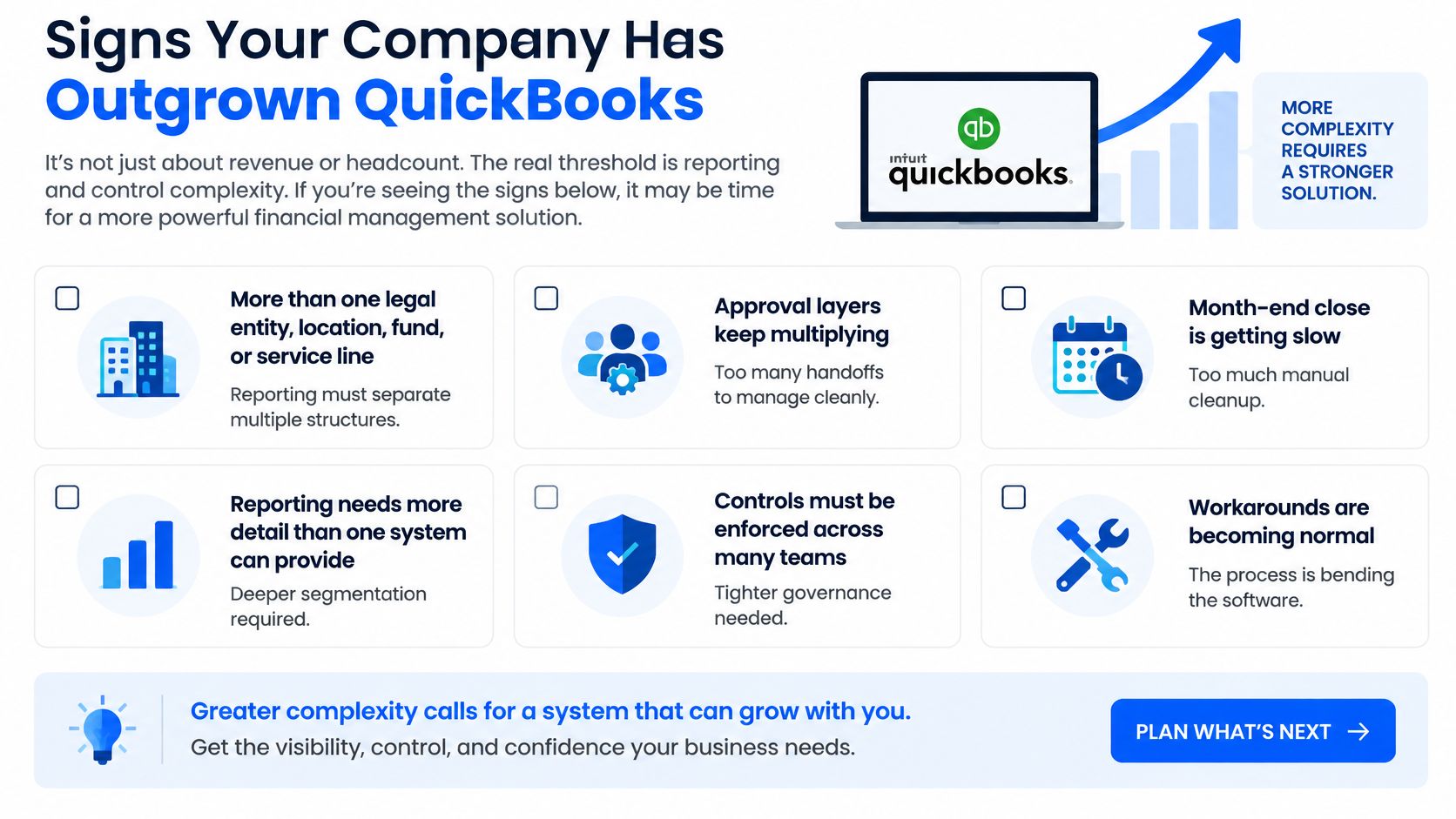
Reporting and control complexity is the threshold, not revenue or headcount alone. A larger company with simple operations can have less accounting friction than a smaller organization with restricted funds, related entities, and layered approvals.
Use this checklist to identify where the operating model has moved beyond the current setup:
- Separate and combined views are both necessary. Legal entities need distinct books, while locations, funds, or programs need identifiable reporting within a reliable group view.
- Intercompany work happens by hand. Staff record cross-company charges and maintain elimination workbooks.
- Operational balances live elsewhere. Inventory, job costs, or grant balances require separate spreadsheets before finance can trust the ledger.
- Approvals depend on email. The recorded process doesn't match the actual delegation of authority.
- Management reporting arrives late. Board, lender, or grant reports take days of additional preparation after transaction processing is finished.
- Data ownership is unclear. Nobody can say which system controls a customer identifier, department code, payment status, or other shared field.
Translate the symptoms into your sector
For a healthcare group, the missing view may be profitability by clinic and provider, reconciled to billing or practice-management activity. For a nonprofit, it may be program spending and grant balances that agree with restrictions and reporting obligations.
A dental service organization may need practice-level profitability alongside group overhead allocations. A professional-services firm may need project margins and deferred revenue without rebuilding contract schedules each month.
Those aren't just requests for more reports. They're requests for consistent accounting dimensions, traceable balances, and controlled workflows. Financial reporting automation only helps when those foundations are sound.
Count the structure you must control
List entities, locations, funds, service lines, and approval layers. Then ask whether another qualified finance employee could complete the close without relying on undocumented workbook logic.
If the close depends on someone remembering which spreadsheet adjustment reverses next month, treat that dependency as a control issue.
Sage Intacct is Sage's cloud financial management product, aimed at organizations that have outgrown single-entity accounting. Whether you need that class of system, rather than better configuration or cleaner processes, is the question to answer before selecting a platform.
Where Multi-Entity Reporting and Integrations Break Down
Adding an entity doesn't just add another export. It creates additional possible relationships that finance may need to reconcile.
Intercompany pairs by entity count
| Entities | Intercompany pairs | New pairs added |
|---|---|---|
| 2 entities | 1 pair | 1 |
| 3 entities | 3 pairs | 2 |
| 4 entities | 6 pairs | 3 |
| 5 entities | 10 pairs | 4 |
These counts follow the pair arithmetic described in Finlens's intercompany accounting guide: three entities create three possible pairs, four create six, and five create ten. The table's additional counts follow the same calculation. These are possible relationships, not a claim that every entity transacts with every other entity.
Consolidation requires more than adding columns
According to LiveFlow's consolidation guidance, QuickBooks Online doesn't natively consolidate multiple company files into one group reporting view. Teams generally export into Excel, use spreadsheet-sync tools, or adopt a separate consolidation platform.
Account names must be mapped before aggregation. Intercompany activity must be recorded on both sides and eliminated so the group doesn't overstate revenue, expenses, assets, or liabilities.
Finlens identifies common defects that reviewers should explicitly check:
- Missing scope: An entity is omitted.
- Unmatched activity: An intercompany transaction isn't identified.
- Incomplete elimination: An adjustment is recorded on only one side.
- Missing translation: A foreign-currency translation entry is absent.
- Missing adjustment: A consolidation adjustment, such as goodwill or non-controlling interest, is omitted.
When evaluating accounting software for multiple businesses, test these mechanics with your own transactions. Sage Intacct maintains separate financials per entity while automating consolidation, including currency conversion, inter-entity transactions, and local tax reporting. The evaluation still needs to establish how your accounting policies will be configured and reviewed.
Integrations create another reconciliation boundary
An independent consulting article from Accord Consulting reports that QuickBooks Online audit logs are retained for two years, with older history inaccessible through the audit-log function. Intuit's audit-log guidance also states that audit-log events are retained for two years. Preserve appropriate exports and supporting documentation when your audit needs extend beyond that window.
In Intuit's 2025 survey of 700 U.S. accounting professionals, firms used eight apps on average, while 41% cited integration difficulties and 41% cited time-consuming data entry. Those findings describe accounting firms, not every QuickBooks customer, but they illustrate why connector availability isn't enough.
More automation isn't better control unless someone can detect, explain, and recover a failed synchronization.
For every connection, name the owner of each shared field, the duplicate-prevention rule, and the person responsible for failed-sync alerts. Require a recovery procedure that won't post the same transaction twice.
Decide Whether to Move Off QuickBooks Now
A longer close is not, by itself, a reason to replace QuickBooks. The decision turns on whether the workarounds can still produce timely, reliable group reporting, or whether consolidation and review are consuming more effort each month.
Run a practical decision sequence
- Record the complexity. List each entity, location, fund, service line, and approval layer finance must manage. Separate legal-entity requirements from management reporting.
- Time the last close. Measure the work from close start to the final consolidated report. Record spreadsheet steps, rework, reviewer delays, and late adjustments.
- Map the integrations. For each connection, identify its source, destination, field owner, reconciliation method, and failure-recovery owner.
- Separate process gaps from platform gaps. Coding problems may call for cleanup. A need for controlled group consolidation may call for a different system design. Make that distinction before comparing platforms.
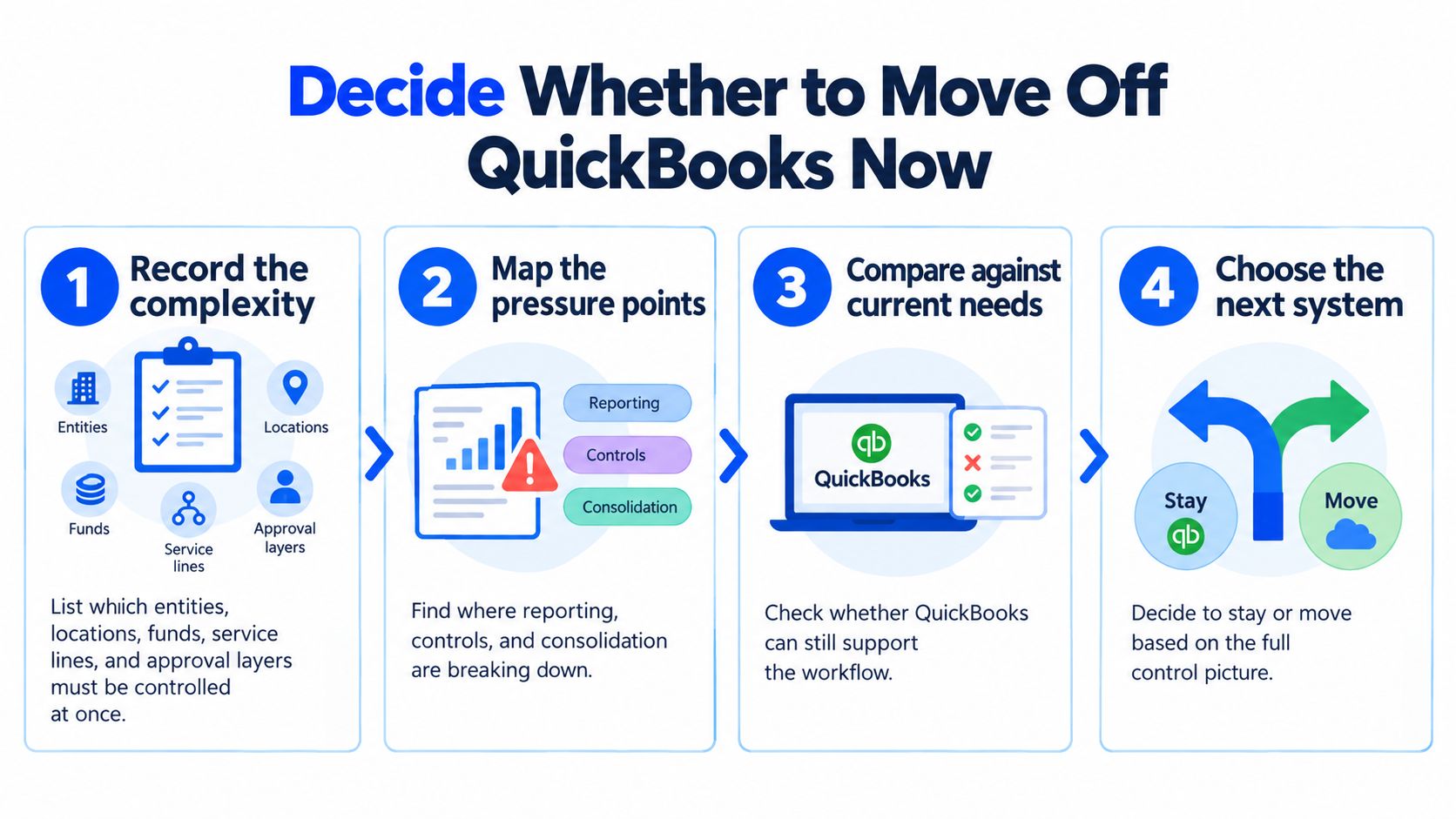
Build the business case around specific work the new system would remove or control. Count subscriptions, connectors, manual reconciliation, report preparation, training, and ongoing administration. Separate work that would disappear from time that would shift to another task.
Software alone leaves the design work with you
A software license does not set the chart of accounts, map historical data, assign approval authority, or redesign the close. An implementation partner can help define those choices and test them against realistic transactions and reporting requirements.
Migration scope matters too. Decide what history belongs in the new system, what should remain accessible elsewhere, and how opening balances will be reconciled before setting a cutover date. Lucentive offers QuickBooks-to-cloud ERP migration services.
Lucentive is a Sage Intacct Value Added Reseller and Premier Implementation Partner, serving healthcare, nonprofit, and general business organizations. Its platform comparisons assess your close, entities, and reporting requirements, and may recommend staying with your current system.
ERP Advisory starts at a $5,000 fixed fee and takes 2–4 weeks. It includes requirements built from your actual close, a side-by-side platform comparison, and an honest fit assessment. The advisory fee is credited against implementation if you proceed with Lucentive.
Bring your latest close checklist and reporting pack to a 30-minute working session with the team. The goal is a clear decision: repair the current process or evaluate a replacement.
Summary
QuickBooks maintains a business ledger and standard statements. Historical monthly prices include Simple Start at $38, Essentials at $85 listed or $75 reported, Plus at $115, and Advanced at $275; Essentials supports up to 3 users. Desktop account limits are 10,000 or 100,000. Higher tiers don't add native consolidation. Its setup, cost, and familiarity suit simple books; entities, eliminations, external schedules, approvals, late reporting, and unclear data ownership signal strain. Three entities create three intercompany pairs; four create six. Check two-year audit-log retention. Record complexity, time the close, map integrations, and distinguish process from platform gaps before a 30-minute working session with our team.
Frequently Asked Questions
Is QuickBooks accounting software suitable for a single-entity business?
Yes, particularly when the business has straightforward transactions, manageable approval requirements, and standard financial reporting needs. QuickBooks offers a relatively quick setup, accessible entry cost, and workflows familiar to many bookkeepers and accountants. The important test isn't whether the company is growing. It's whether finance can maintain accurate books, apply appropriate controls, and produce repeatable reports without substantial work outside the system.
Which QuickBooks Online edition should a growing team consider first?
Essentials is worth evaluating for a small team that needs bill tracking and time billing, with access for up to 3 users. Plus is the more relevant starting point when inventory and project tracking are required. Advanced deserves consideration when reporting and access requirements are broader. Confirm current prices and plan limits at checkout, then test your actual workflow rather than choosing solely by subscription name.
Can QuickBooks consolidate several companies into one report?
QuickBooks Online doesn't natively consolidate separate company files into a group reporting view. Teams generally export data, map accounts, aggregate balances, and eliminate intercompany activity using spreadsheets or a separate consolidation tool. As entities are added, possible intercompany relationships increase, creating additional reconciliation and review work. The risk isn't just an incorrect formula. It includes omitted entities, unmatched transactions, and incomplete elimination entries.
How long are QuickBooks Online audit logs kept?
Accord Consulting reports that QuickBooks Online audit logs are retained for two years, after which older records aren't accessible through the audit-log function. That matters when auditors need historical evidence of changes or approvals. Establish what supporting history your organization needs and preserve appropriate exports and documentation separately. Audit readiness requires accessible evidence, not merely confidence that the original transaction remains in the ledger.
What should a finance leader do before deciding to move?
Record the organizational complexity, time the last close, map integrations and data ownership, and distinguish process problems from platform limitations. Then compare options using your own reporting pack and representative transactions. Include implementation design and ongoing administration in the business case, not just software subscriptions. A 30-minute working session with our team is a practical next step to assess whether better processes, a targeted fix, or a replacement platform fits.
Lucentive offers advisory, QuickBooks-to-cloud-ERP migration, and implementation support grounded in your close, controls, and reporting requirements. Visit Lucentive to schedule a 30-minute working session, bring your latest reporting pack, and assess whether staying on QuickBooks or moving to another platform makes sense for your company.